
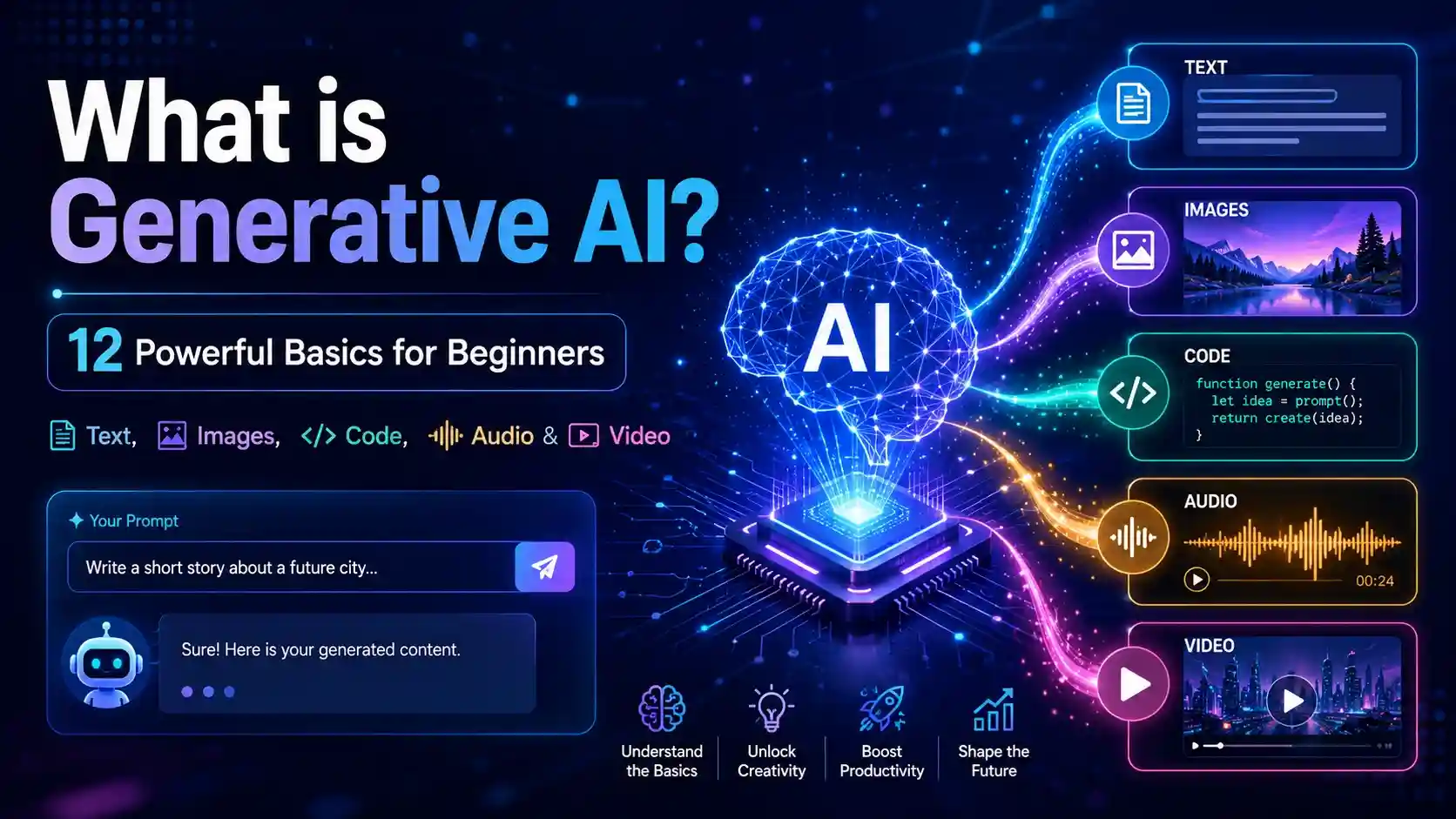
What is Generative AI? Generative AI is a type of artificial intelligence that can create new content from a user’s prompt, such as text, images, code, audio, video, summaries, and ideas. Instead of only finding or analyzing information, it generates fresh output by learning patterns from large amounts of data.
Think of it as a smart digital assistant that can help you write faster, brainstorm better, learn difficult topics, create content ideas, and save time. IBM describes generative AI as AI that can create original content such as text, images, video, audio, or software code in response to a prompt or request.
For beginners, the most important point is simple: generative AI can be helpful, but it should not be trusted blindly. The best results come when you give clear prompts, review the output, and verify important facts.
- What is Generative AI?
- Quick Answer: Generative AI Meaning
- Why Generative AI Matters Now
- How Generative AI Works
- What is a Prompt in Generative AI?
- Generative AI Examples
- Generative AI Tools and Common Uses
- Generative AI vs Traditional AI
- Types of Generative AI
- Benefits of Generative AI
- Generative AI Risks
- How to Use Generative AI Safely
- Create Better HTML Templates Visually
- Generative AI Skills Beginners Should Learn
- Future of Generative AI
- Conclusion
- FAQs
What is Generative AI?
What is Generative AI? In simple words, it is AI that creates content from instructions. These instructions are called prompts.
A prompt can be short, like “write a thank-you email.” It can also be detailed, like “write a friendly thank-you email in U.S. English for a client after a meeting, and keep it under 120 words.”
The AI reads your instruction and creates an output. That output may be a paragraph, image idea, code sample, summary, study plan, video script, product description, or social media caption.
The word “generative” means it can generate something. That is what makes it different from older AI systems that mainly classified, ranked, detected, or predicted information.
Quick Answer: Generative AI Meaning
| Point | Simple Explanation |
|---|---|
| Full meaning | AI that creates new content from prompts |
| Main input | User instruction or prompt |
| Main output | Text, images, code, audio, video, summaries, ideas |
| Best use | Drafting, brainstorming, learning, coding help, productivity |
| Biggest warning | It can make mistakes, so human review is important |
Generative AI does not think or feel like a human. It does not have personal experience, emotions, or real understanding in the human sense.
It creates useful output by using patterns learned from data. That is why it can sound smart, but still give wrong or incomplete answers sometimes.
Why Generative AI Matters Now
Generative AI matters because it is changing how people learn, work, create, and solve daily problems.
A student can use it to understand a difficult topic. A small business owner can use it to draft product descriptions. A blogger can use it to plan article outlines. A developer can use it to understand code.
This is why generative AI is not only a tech trend. It is becoming part of education, business, marketing, software development, customer support, design, and everyday productivity.
Stanford’s 2026 AI Index says organizational AI adoption reached 88%, showing that AI use continues to expand across workplaces and industries.
For U.S. readers, this means AI literacy is becoming a useful digital skill. You do not need to become an AI engineer, but understanding how generative AI works can help you use technology more confidently.
How Generative AI Works
How generative AI works can be explained in a simple process: it learns from data, understands your prompt, predicts a useful response, and generates content.
Here is a beginner-friendly breakdown:
| Step | What Happens |
|---|---|
| Training | The AI studies large amounts of text, images, code, audio, or video data. |
| Pattern Learning | It learns how words, images, sounds, and code structures often connect. |
| Prompt Input | A user gives an instruction, question, or request. |
| Generation | The AI creates a new response based on learned patterns. |
| Review | The user checks, edits, improves, and verifies the output. |
For example, if you ask generative AI to write a product description for a backpack, it does not “know” your product like you do. It predicts a helpful description based on patterns from product writing, marketing language, and your prompt details.
This is why prompt quality matters. A vague prompt may create a vague answer, while a clear prompt usually creates a more useful result.
What is a Prompt in Generative AI?
A prompt is the instruction you give to a generative AI tool.
A weak prompt gives little direction. A strong prompt tells the AI exactly what you want, who the content is for, and how the answer should look.
more info then check video –
Weak Prompt Example
“Explain generative AI.”
This may still work, but it is too broad. The AI may not know the audience, format, tone, or level of detail you want.
Strong Prompt Example
“Explain generative AI in simple U.S. English for beginners. Use short paragraphs, include real-life examples, and explain text, image, code, audio, and video generation.”
This prompt is better because it gives clear direction.
A good prompt usually includes:
- Topic
- Audience
- Goal
- Format
- Tone
- Length
- Examples
- Special instructions
IBM explains prompt engineering as the process of writing, refining, and optimizing inputs to encourage generative AI systems to create specific, high-quality outputs.
Generative AI Examples
Generative AI examples are easy to find because many people already use this technology in daily work.
Generative AI can help create drafts, ideas, summaries, designs, code explanations, learning materials, and more.
| Use Case | Example Output |
|---|---|
| Writing | Emails, captions, blog outlines, product descriptions |
| Education | Study notes, quizzes, simple explanations, flashcards |
| Coding | Code snippets, debugging help, documentation |
| Design | Image prompts, layout ideas, visual concepts |
| Business | Ad copy, customer replies, meeting summaries |
| Video | Scripts, scene ideas, short-form content plans |
| Audio | Voiceover scripts, podcast outlines, sound concepts |
For example, a student might ask generative AI to explain photosynthesis in simple language. A marketer might ask it to create five headline ideas for a landing page.
A developer might ask it to explain why a Python function is not working. A blogger might ask it to create an outline for an article about AI tools.
Generative AI Tools and Common Uses
Generative AI tools are applications that use generative AI models to help users create or improve content.
Some tools focus on writing. Some focus on images. Some help with coding. Others help with audio, video, research, customer support, or productivity.
Common uses include:
- Writing emails and drafts
- Creating article outlines
- Summarizing long documents
- Generating image ideas
- Writing code examples
- Creating study plans
- Drafting video scripts
- Improving product descriptions
- Building social media captions
- Brainstorming business ideas
For beginners, the safest way to start is with low-risk tasks. Use generative AI to draft, brainstorm, summarize, or explain. Avoid using it blindly for legal, medical, financial, or highly sensitive decisions.
Generative AI works best when you treat the output as a starting point, not the final answer.
Generative AI vs Traditional AI
Generative AI and traditional AI are both part of artificial intelligence, but they usually solve different problems.
Traditional AI often analyzes, detects, predicts, ranks, or classifies. Generative AI creates new content.
| Feature | Traditional AI | Generative AI |
|---|---|---|
| Main goal | Analyze or predict | Create new content |
| Example | Spam detection | Email draft generation |
| Output | Score, label, alert, recommendation | Text, image, code, audio, video |
| User input | Often data-based | Often prompt-based |
| Best use | Decision support | Creation and productivity support |
A spam filter may decide whether an email is spam. A generative AI tool may help write a reply to that email.
A bank fraud system may detect suspicious activity. A generative AI system may draft a message explaining the next steps to a customer.
Both types are useful, but they are not the same.
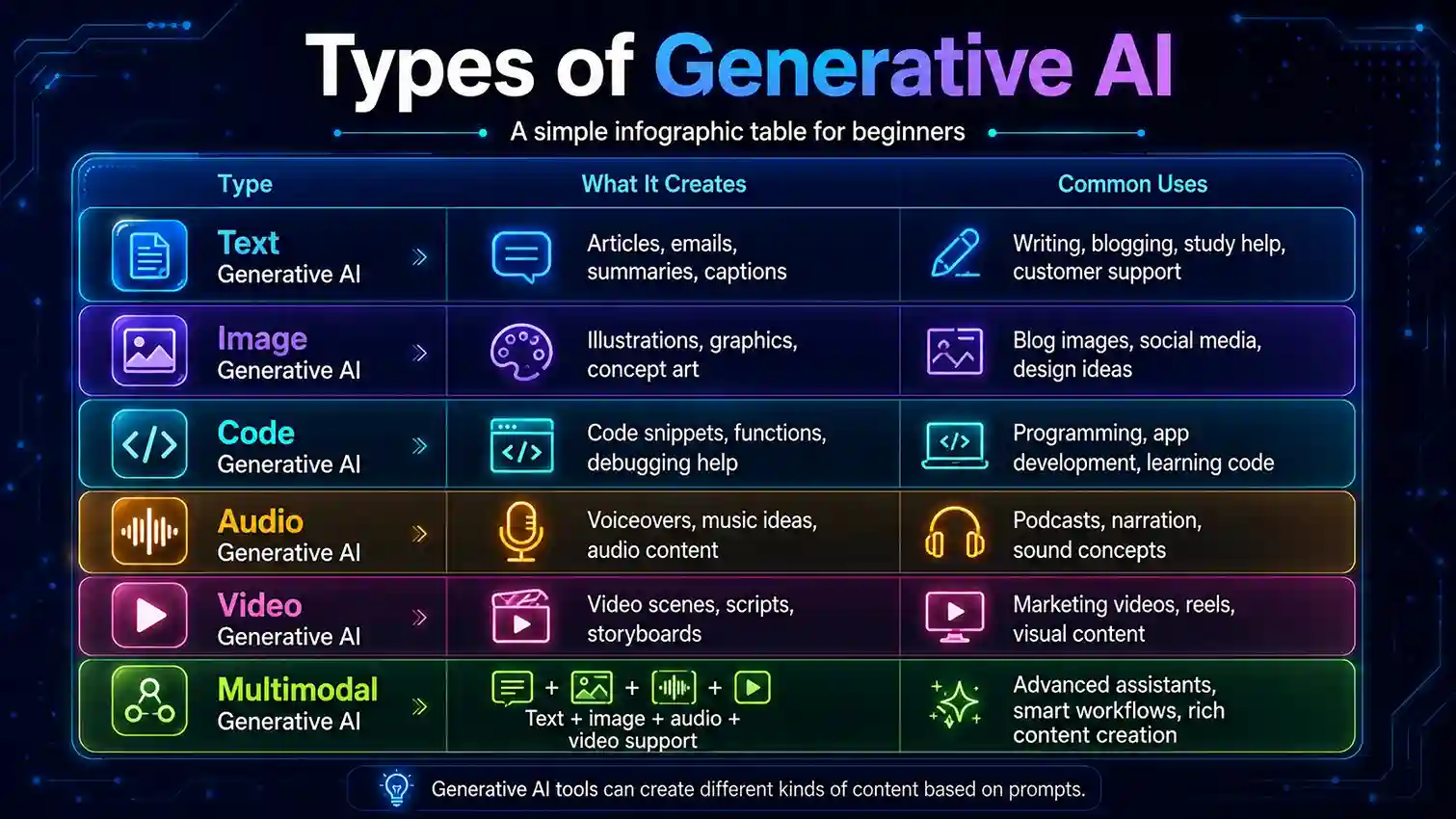
Types of Generative AI
Generative AI can create many types of content. Each type has different uses, strengths, and limitations.
Text Generative AI
Text generative AI creates written content. It can help with articles, emails, summaries, reports, captions, study notes, scripts, and FAQs.
This is one of the most common uses because almost every student, employee, creator, and business owner works with written communication.
Image Generative AI
Image generative AI creates visuals from text prompts or image instructions.
It can help with blog images, educational graphics, concept art, social media visuals, product mockups, and presentation designs.
Users should avoid copyrighted logos, misleading images, fake official graphics, or real-person likenesses without permission.
Code Generative AI
Code generative AI helps users write, explain, debug, and improve code.
It can be useful for beginners learning programming and developers building faster workflows. Still, AI-generated code should always be tested before use.
Audio Generative AI
Audio generative AI can help create voiceover scripts, podcast outlines, music ideas, audio summaries, and sound concepts.
Some tools can generate speech or music, but quality, licensing, and ethical use should be checked carefully.
Video Generative AI
Video generative AI can help create scripts, scenes, storyboards, captions, editing ideas, and short-form video concepts.
This area is growing fast, but users should be careful with deepfakes, fake events, and misleading video content.
Multimodal Generative AI
Multimodal generative AI can work with more than one content type.
For example, it may understand text and images together, explain a screenshot, summarize a chart, or help create a visual idea from written instructions.
To understand this topic in more detail, check out our complete beginner-friendly guide
What is AI? 11 Powerful Basics Every Beginner Should Know
Benefits of Generative AI
Generative AI can be valuable when used carefully and honestly.
1. Saves Time
Generative AI can create first drafts quickly.
Instead of starting with a blank page, you can generate an outline, email draft, caption, summary, or checklist, then edit it with your own judgment.
2. Helps Beginners Learn Faster
Beginners can ask generative AI to explain difficult topics in simple language.
For example, a student can ask, “Explain machine learning like I am in high school.” This can make technical topics easier to understand.
3. Supports Creativity
Generative AI can help with brainstorming.
It can suggest blog titles, business names, video ideas, story concepts, product descriptions, social media hooks, and design themes.
4. Improves Productivity
Generative AI can organize information into useful formats.
It can turn messy notes into bullet points, meeting discussions into summaries, and ideas into action plans.
5. Helps Small Businesses
Small businesses can use generative AI for website content, customer replies, product descriptions, social media posts, FAQ sections, and marketing ideas.
This can reduce workload, especially when the business owner handles many tasks alone.
6. Supports Coding and Technical Learning
Developers and learners can use generative AI to explain code, create examples, find bugs, write documentation, and understand new programming concepts.
The important rule is simple: test the code before using it.
For a deeper explanation, you can read our related article on this topic
- IBM — for generative AI definition and content types.
- IBM — for prompt engineering explanation.
- Stanford AI Index 2026 — for current AI adoption context.
- NIST AI Resource Center — for trustworthy AI characteristics.
- FTC — for AI-related consumer protection and scam awareness.
Generative AI Risks
Generative AI risks are important because the technology can produce convincing content even when it is wrong.
1. Wrong Information
Generative AI can give incorrect answers. Sometimes it sounds confident even when the answer is false or incomplete.
This is why users should verify important facts from trusted sources before publishing, buying, applying, or making decisions.
2. Bias
AI models learn from data. If the data includes bias, the output may also show bias.
Bias can be serious in areas like hiring, education, healthcare, finance, and public information.
3. Privacy Problems
Users should avoid sharing sensitive information with AI tools unless they understand how the platform handles data.
Avoid entering passwords, Social Security numbers, bank details, private medical records, legal documents, personal addresses, or confidential business files.
4. Scams and Fake Content
Generative AI can be misused to create fake emails, fake voices, fake images, fake reviews, phishing messages, and misleading content.
The Federal Trade Commission has warned about AI-related consumer protection issues and deceptive AI claims.
5. Copyright and Ownership Questions
Generative AI can raise questions about originality, ownership, licensing, and fair use.
For public blog content, business designs, music, videos, and brand assets, users should avoid protected logos, celebrity likenesses, and copyrighted material unless they have permission.
How to Use Generative AI Safely
Generative AI becomes more useful when you use it with clear rules.
| Safety Rule | Why It Matters |
|---|---|
| Verify important facts | AI can make mistakes. |
| Edit every draft | AI output needs human judgment. |
| Protect private data | Avoid privacy and identity risks. |
| Use clear prompts | Better prompts create better answers. |
| Check for bias | Outputs may reflect biased data. |
| Avoid fake claims | Protects trust and credibility. |
| Review copyright risks | Helps avoid legal and brand problems. |
NIST lists trustworthy AI characteristics such as valid and reliable, safe, secure and resilient, accountable and transparent, explainable and interpretable, privacy-enhanced, and fair with harmful bias managed.
For everyday users, the best rule is simple:
Use generative AI as an assistant, not as an authority.
Design Smarter with the InfoJustify Visual Editor
The HTML Template Visual Editor helps you preview, edit, and improve HTML templates in a simple visual way. It is useful for bloggers, students, creators, and beginners who want to build cleaner web sections without confusion.
Create Better HTML Templates Visually
Try our HTML Template Visual Editor to preview, edit, and improve your HTML layouts faster. It is designed for creators, bloggers, students, and beginners who want a simple way to work with templates.
Generative AI Skills Beginners Should Learn
You do not need advanced technical knowledge to start using generative AI.
Start with practical skills that help you get better results.
Prompt Writing
Prompt writing is the most important beginner skill.
Learn how to give clear instructions with topic, audience, format, tone, and goal.
Fact-Checking
AI-generated content can be wrong.
Learn to verify important claims using official websites, trusted reports, expert sources, or reliable documentation.
Editing
Generative AI can create a draft, but human editing makes it accurate, original, and natural.
Editing also helps match your voice and purpose.
Privacy Awareness
Know what not to share.
Private, financial, medical, legal, and confidential business details should be handled carefully.
Basic AI Literacy
Learn terms like prompt, model, training data, foundation model, large language model, hallucination, multimodal AI, and responsible AI.
These basics will help you understand AI tools more clearly.
Future of Generative AI
The future of generative AI will likely include more accurate tools, better multimodal systems, smarter personal assistants, stronger automation, and deeper integration into everyday software.
People may see generative AI inside search engines, office apps, coding tools, design platforms, learning apps, customer support systems, and video editing software.
At the same time, the future will need better safety, stronger privacy protection, clearer rules, and more responsible use.
The most successful users will not be the people who trust AI blindly. They will be the people who know how to ask better questions, verify answers, protect privacy, and combine AI output with human judgment.
Conclusion
So, What is Generative AI? It is artificial intelligence that creates new content from prompts, including text, images, code, audio, video, summaries, and ideas.
It works by learning patterns from data and using those patterns to generate useful outputs based on user instructions.
For beginners, generative AI can save time, support learning, improve creativity, and make daily tasks easier. But it also has risks, including wrong information, bias, privacy problems, scams, fake content, and copyright concerns.
The smart way to use it is simple: give clear prompts, review the output, verify important facts, protect private information, and use your own judgment.
Generative AI is powerful, but your thinking still matters most.
FAQs
1. What is Generative AI in simple words?
Generative AI is AI that creates new content from your instructions. It can generate text, images, code, audio, video, summaries, and ideas based on prompts.
2. How generative AI works for beginners?
Generative AI works by learning patterns from large amounts of data. When you give it a prompt, it uses those patterns to create a response that matches your request.
3. What are the best generative AI examples?
Common generative AI examples include AI writing tools, image generators, coding assistants, chatbot tools, summarizers, video script tools, and audio content tools.
4. Are generative AI tools safe to use?
Generative AI tools can be safe when used carefully. Avoid sharing private data, verify important information, and review outputs before using or publishing them.
5. What are the biggest generative AI risks?
The biggest generative AI risks include wrong information, bias, privacy problems, fake content, scams, copyright issues, and overdependence on AI-generated answers.
6. Is generative AI the same as ChatGPT?
No. ChatGPT is one example of a generative AI tool. Generative AI is the broader technology category that includes tools for text, image, code, audio, and video generation.
7. Can generative AI replace humans?
Generative AI can automate some tasks, but it cannot fully replace human judgment, creativity, ethics, experience, and real-world understanding. It works best as a helper.
8. How can beginners start using generative AI?
Beginners can start by using generative AI for simple tasks like writing emails, summarizing articles, creating study notes, brainstorming ideas, and practicing better prompts.
- Are AI voices safe for YouTube monetization
- Realistic Indian Accent AI Voices for Free: 3 Best Tools
- ElevenLabs Free Alternatives for Emotional Voices: 3 Picks
- Best Free AI Voice Generators for Faceless YouTube Shorts
- Top 5 Free AI Voice Generator Realistic Tools
- Free AI Video Generators Without Watermark: 2026 Truth
- AI vs Machine Learning: Powerful 2026 Career Truth
- Generative AI Uses and Risks: 11 Real-Life Lessons for Beginners
- What is Generative AI? 12 Powerful Basics for Beginners
- What is AI? 11 Powerful Basics Every Beginner Should Know
3 thoughts on “What is Generative AI? 12 Powerful Basics for Beginners”