
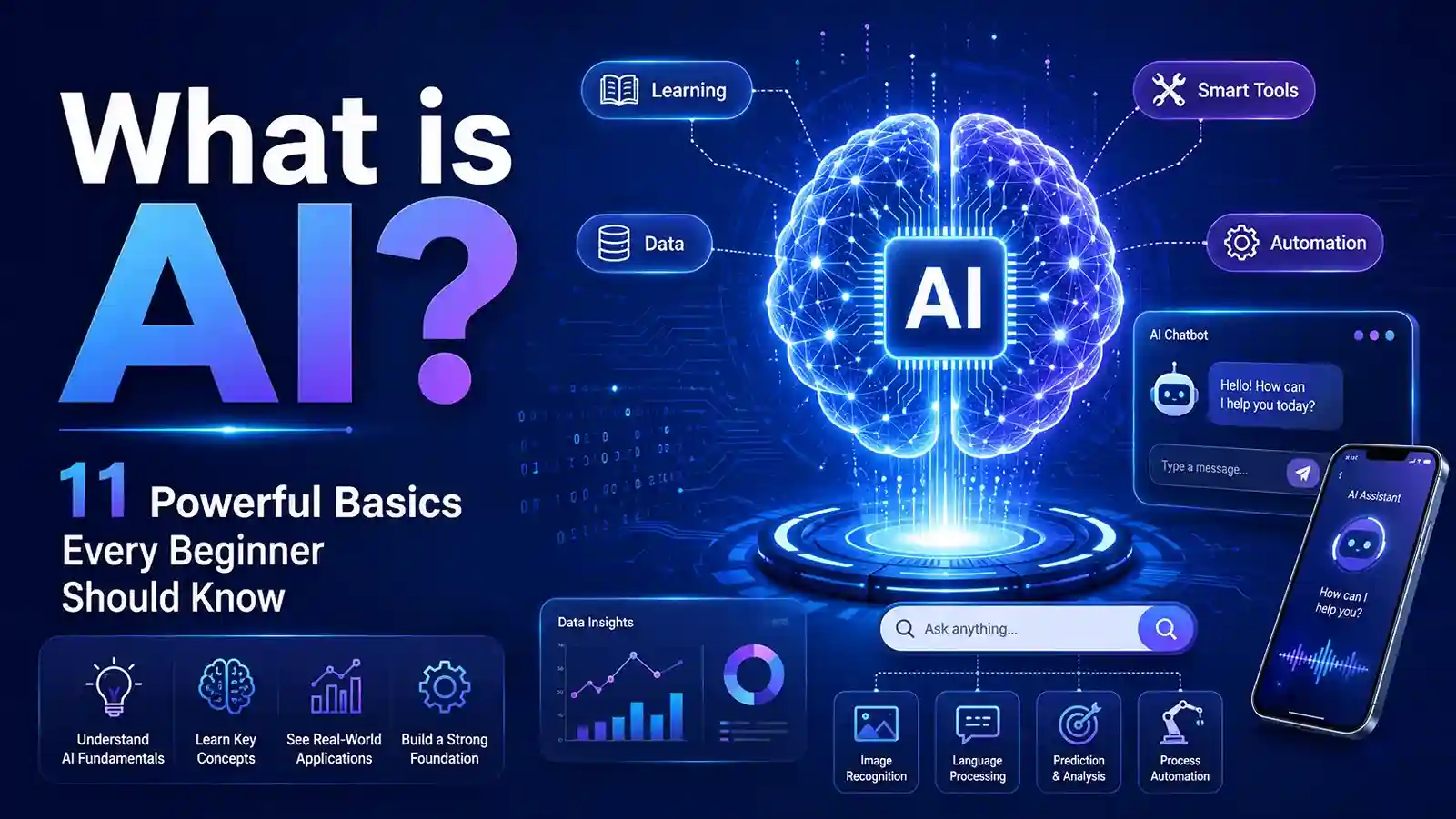
What is AI? AI, or artificial intelligence, is technology that helps computers and machines perform tasks that usually require human intelligence, such as learning, understanding language, recognizing images, solving problems, making decisions, and creating content. IBM defines AI as technology that enables computers and machines to simulate human learning, comprehension, problem-solving, decision-making, creativity, and autonomy.
In simple words, AI helps machines act “smart” by using data, patterns, and algorithms.
You already use AI more often than you may realize. Search engines, smartphone cameras, voice assistants, maps, online shopping recommendations, email spam filters, fraud alerts, grammar tools, and chatbots all use some form of artificial intelligence.
The best way to understand AI is not to imagine a robot from a movie. Think of it as a helpful digital system that can study information, find patterns, and give useful results.
- What is AI?
- How AI Works
- Simple Examples of AI
- AI vs Machine Learning vs Deep Learning
- What is Generative AI?
- What is Generative AI?
- Main Types of AI
- AI in Daily Life
- AI in Smartphones
- AI in Search Engines
- AI in Online Shopping
- AI in Banking
- AI in Healthcare
- AI in Education
- AI in Business
- Benefits of AI
- Risks and Limitations of AI
- What Makes AI Trustworthy?
- AI Careers in the United States
- Important AI Skills for Beginners
- Technical Skills
- Non-Technical Skills
- How Beginners Can Start Learning AI
- Smarter AI Tools Are Coming Soon
- Future of AI
- Conclusion
- FAQs
What is AI?
AI stands for Artificial Intelligence.
It is a branch of computer science focused on creating systems that can perform tasks normally linked with human intelligence.
These tasks can include:
- Learning from data
- Understanding human language
- Recognizing images
- Making predictions
- Solving problems
- Recommending products or content
- Creating text, images, audio, code, or video
- Helping people make faster decisions
A normal computer program follows fixed instructions. AI is different because it can learn from examples and improve its output when trained with better data.
For example, a simple calculator only gives the answer to a math problem. But an AI-powered learning app can notice which type of questions a student gets wrong and then suggest practice lessons.
That is the main idea behind AI: machines using data and patterns to make useful decisions, predictions, or content.
How AI Works
AI works through a combination of data, algorithms, models, and computing power.
A basic AI process usually looks like this:
| Step | What Happens |
|---|---|
| Data Input | The AI system receives text, images, numbers, audio, or user behavior data. |
| Pattern Learning | The system studies the data and finds repeated patterns. |
| Model Training | The AI model learns how to connect input with useful output. |
| Testing | The model is checked for accuracy and usefulness. |
| Output | The AI gives an answer, prediction, recommendation, or generated result. |
| Improvement | The system may improve with better data, feedback, or retraining. |
Here is a simple example.
When you use a music app, AI may study the songs you play, skip, replay, or save. Then it recommends new songs based on your listening behavior and the behavior of similar users.
The AI is not enjoying music like a human. It is finding patterns and predicting what you may like next.
Simple Examples of AI
AI becomes easier to understand when you connect it with everyday examples.
| AI Example | How It Helps |
|---|---|
| Google Search | Understands your query and ranks useful results. |
| Email Spam Filter | Detects suspicious or unwanted emails. |
| Maps App | Suggests faster routes based on traffic and road data. |
| Voice Assistant | Understands voice commands and responds. |
| Streaming Apps | Recommends movies, shows, or songs. |
| Online Shopping | Suggests products based on your activity. |
| Fraud Alerts | Detects unusual banking or card activity. |
| Grammar Tools | Suggests corrections and better writing. |
| Face Unlock | Recognizes your face using image patterns. |
| Chatbots | Answer questions or help with customer support. |
A maps app is one of the easiest examples.
When you search for a route, the app does not only show roads. It checks traffic, distance, travel time, speed, accidents, and sometimes road closures. Then it suggests the best route.
That is AI helping you make a better decision.
You may also check this 10 Artificial Intelligence Examples: AI in Practice read more..
AI vs Machine Learning vs Deep Learning
Many beginners confuse AI, machine learning, and deep learning. They are connected, but they are not the same.
| Term | Simple Meaning | Example |
|---|---|---|
| Artificial Intelligence | The broad field of making machines perform smart tasks | A chatbot answering questions |
| Machine Learning | A method where machines learn from data | A system predicting home prices |
| Deep Learning | A more advanced type of machine learning using neural networks | Voice recognition or image recognition |
| Generative AI | AI that creates new content | A tool writing text or creating images |
AI is the biggest category.
Machine learning is one way to build AI.
Deep learning is a more advanced part of machine learning.
Generative AI is a popular modern category that can create new content from prompts.
IBM describes deep learning as a subset of machine learning that uses multilayered neural networks and supports advanced AI systems such as computer vision, generative AI, robotics, and autonomous technologies.
What is Generative AI?
Generative AI is a type of artificial intelligence that can create new content based on a user’s prompt.
What is Generative AI?
Generative AI is a type of artificial intelligence that can create new content from simple prompts, including text, images, code, audio, and video. It helps beginners, students, creators, and businesses turn ideas into useful digital content faster.
A prompt is the instruction you give to an AI tool.
For example, you can ask generative AI to:
- Write an email
- Summarize a long article
- Create a blog outline
- Generate an image idea
- Explain a topic in simple language
- Help write code
- Create social media captions
- Make a study plan
- Draft a resume summary
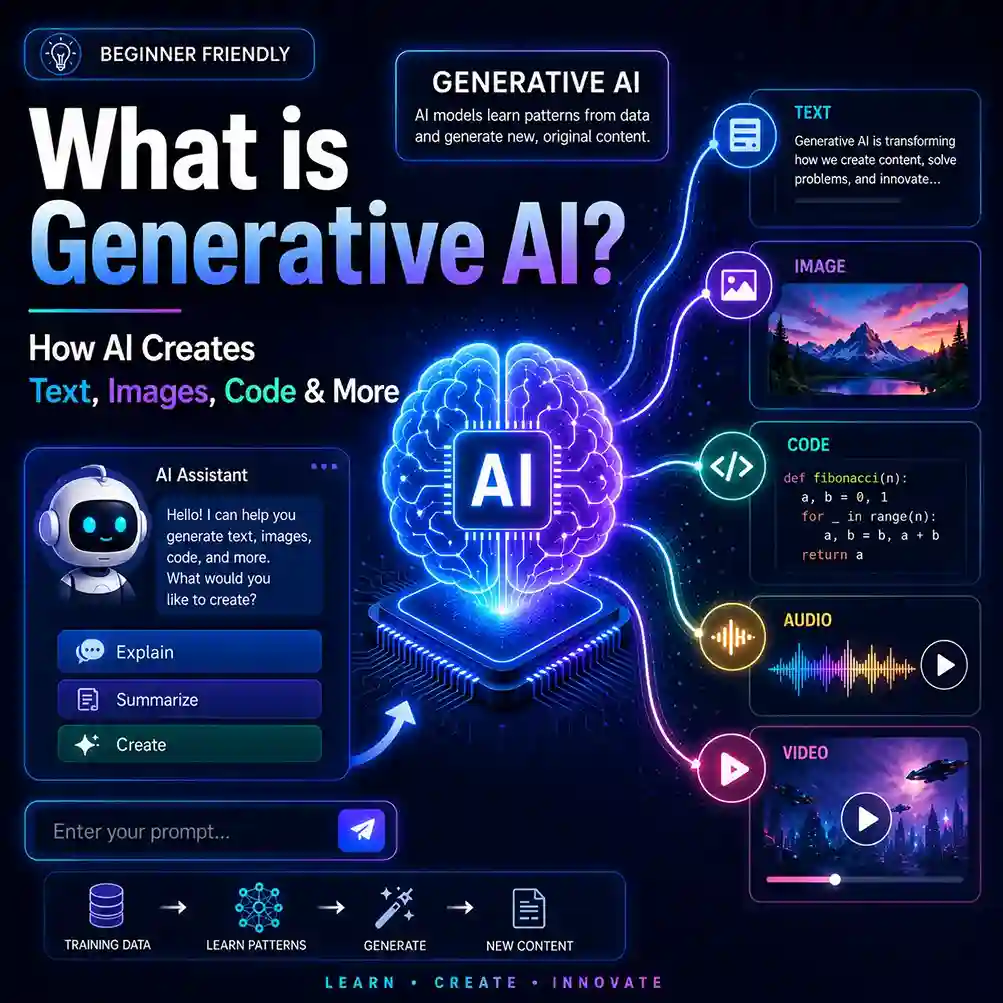
Generative AI became popular because it can save time and help people create content faster.
But it should not be trusted blindly. It can sometimes give wrong, outdated, biased, or incomplete information.
A smart user should treat generative AI as an assistant, not as a final authority.
To understand this topic better, read our related beginner-friendly guide from InfoJustify.
What is Generative AI? 12 Powerful Basics for Beginners
Main Types of AI
There are different ways to classify AI. For beginners, these categories are the most useful.
1. Narrow AI
Narrow AI is designed to perform one specific task or a limited set of tasks.
Most AI tools today are narrow AI.
Examples include:
- Search engines
- Voice assistants
- Spam filters
- Recommendation systems
- Chatbots
- Face recognition
- Fraud detection systems
Narrow AI can be very powerful in one area, but it does not have full human-like intelligence.
2. Generative AI
Generative AI creates new content.
It can generate:
- Text
- Images
- Audio
- Video
- Code
- Presentations
- Summaries
- Ideas
This type of AI is useful for students, writers, bloggers, developers, marketers, and small businesses.
3. Predictive AI
Predictive AI studies data and predicts what may happen next.
Examples include:
- Weather forecasting
- Fraud detection
- Stock analysis tools
- Customer behavior prediction
- Sports performance analysis
- Risk scoring in finance
- Healthcare risk alerts
Predictive AI is widely used in business, finance, healthcare, insurance, marketing, and technology.
4. Computer Vision AI
Computer vision helps machines understand images and videos.
Examples include:
- Face unlock
- Medical image analysis
- Self-driving car cameras
- Security cameras
- Product image search
- Factory quality checks
5. Natural Language Processing AI
Natural language processing, or NLP, helps computers understand and generate human language.
Examples include:
- Chatbots
- Translation tools
- Grammar checkers
- Voice assistants
- Search engines
- AI writing tools
- Sentiment analysis
AI in Daily Life
AI is not only used by big tech companies. It is already part of daily life in the United States.
AI in Smartphones
Smartphones use AI for camera improvement, face unlock, predictive typing, voice commands, photo organization, battery optimization, and spam call detection.
When your phone improves a dark photo automatically, AI may be helping in the background.
AI in Search Engines
Search engines use AI to understand what people are searching for.
For example, if someone searches “best laptop for college under budget,” the search engine tries to understand intent, not just words.
It may show reviews, buying guides, product comparisons, and related questions.
AI in Online Shopping
Online stores use AI to recommend products, personalize deals, detect fake reviews, manage inventory, and improve customer service.
When a store says “You may also like,” that recommendation is usually powered by data and AI.
AI in Banking
Banks and credit card companies use AI to detect unusual transactions and possible fraud.
For example, if your card is suddenly used in a suspicious location or for an unusual purchase, the system may send an alert.
AI in Healthcare
AI can support healthcare by helping analyze medical images, organize patient data, assist research, improve scheduling, and detect possible health risks.
However, AI should not replace doctors. Healthcare decisions should involve qualified medical professionals.
AI in Education
Students can use AI to:
- Summarize notes
- Explain difficult topics
- Practice writing
- Create flashcards
- Build study plans
- Prepare outlines
- Understand complex terms
AI can make learning faster, but students should still think critically and avoid copying AI answers blindly.
AI in Business
Businesses use AI for customer support, marketing, data analysis, document review, cybersecurity, content creation, sales forecasting, and automation.
Stanford’s 2025 AI Index reported that 78% of organizations used AI in 2024, up from 55% in the previous year. It also reported that U.S. private AI investment reached $109.1 billion in 2024.
McKinsey’s 2025 State of AI survey also found that almost all respondents said their organizations were using AI, though many were still in early stages of scaling AI and capturing full enterprise value.
Benefits of AI
AI can be useful when it is used responsibly.
1. AI Saves Time
AI can complete repetitive tasks quickly.
For example, instead of reading a 20-page report manually, a user can ask AI to summarize the key points.
2. AI Improves Productivity
AI can help workers write drafts, organize data, answer common customer questions, create reports, and automate routine tasks.
This can help people focus more on strategy, creativity, and decision-making.
3. AI Supports Better Decisions
AI can analyze large amounts of data and find patterns humans may miss.
This can help in healthcare, business, finance, education, cybersecurity, and logistics.
4. AI Personalizes Experiences
AI can personalize what users see online.
Examples include:
- Movie recommendations
- Product suggestions
- Personalized learning apps
- Targeted search results
- Custom playlists
- Smart fitness suggestions
5. AI Helps Beginners Learn Faster
AI can explain difficult topics in simple language.
For example, a student can ask:
“Explain artificial intelligence like I am a high school student.”
This makes learning more accessible.
6. AI Improves Accessibility
AI can support people with disabilities through:
- Live captions
- Text-to-speech
- Speech-to-text
- Image descriptions
- Smart assistants
- Translation tools
7. AI Helps Small Businesses
Small businesses can use AI for marketing, customer support, email writing, product descriptions, idea generation, social media captions, and basic data analysis.
This can save money and time.
Risks and Limitations of AI
AI is powerful, but it is not perfect.
1. AI Can Make Mistakes
AI may produce incorrect answers. Sometimes it gives wrong information in a confident tone.
This is why important facts should always be checked from reliable sources.
2. AI Can Be Biased
AI learns from data. If the data contains bias, the AI output may also show bias.
This can be serious in areas like hiring, lending, policing, healthcare, and education.
3. AI Can Create Privacy Problems
Users should avoid sharing sensitive personal information with AI tools.
Do not enter:
- Passwords
- Bank details
- Social Security numbers
- Private medical records
- Confidential business files
- Personal addresses
- Legal documents with private data
4. AI Can Be Used for Scams
Scammers can use AI to create fake emails, fake voices, fake images, fake reviews, and misleading offers.
The Federal Trade Commission tracks AI-related consumer protection issues and has taken action against deceptive AI-related business claims.
5. AI May Affect Jobs
AI may automate some tasks and change how people work.
Some jobs may shrink, some may change, and new AI-related jobs may grow.
The smart approach is to learn how to work with AI instead of ignoring it.
6. AI Can Reduce Critical Thinking
If people use AI for every answer without thinking, they may weaken their own creativity and problem-solving skills.
Pew Research Center reported in 2026 that U.S. adults are generally concerned about AI’s effect on creativity and relationships, while being more open to AI use in data analysis tasks such as weather forecasting.
To learn this topic from the basics
What is Generative AI? 12 Powerful Basics for Beginners
What Makes AI Trustworthy?
Trustworthy AI should be safe, reliable, fair, secure, transparent, explainable, and privacy-conscious.
NIST lists important characteristics of trustworthy AI, including validity and reliability, safety, security and resiliency, accountability and transparency, explainability and interpretability, privacy, and fairness with mitigation of harmful bias.
For everyday users, this means:
- Do not trust AI blindly.
- Verify important answers.
- Use reputable AI tools.
- Protect private information.
- Understand AI’s limitations.
- Use human judgment for serious decisions.
A simple rule is:
Use AI to think faster, not to stop thinking.
AI Careers in the United States
AI is also creating career opportunities in the United States.
AI-related skills can be useful in:
- Technology
- Business
- Marketing
- Healthcare
- Finance
- Education
- Cybersecurity
- Data analysis
- Product development
- Automation
Common AI-related roles include:
| Career Role | What It Usually Involves |
|---|---|
| AI Engineer | Builds AI systems and applications. |
| Machine Learning Engineer | Creates models that learn from data. |
| Data Scientist | Finds insights from data. |
| AI Researcher | Develops new AI methods and systems. |
| Prompt Engineer | Designs better prompts and AI workflows. |
| AI Product Manager | Manages AI-powered products. |
| AI Ethics Specialist | Works on fairness, privacy, and responsible AI. |
| Automation Specialist | Uses tools to automate business tasks. |
| Cybersecurity Analyst | Uses data and tools to detect threats. |
The U.S. Bureau of Labor Statistics projects employment of computer and information research scientists to grow 20% from 2024 to 2034, much faster than the average for all occupations. BLS also projects about 3,200 openings per year for this occupation over the decade.
BLS projects overall computer and information technology occupations to grow much faster than average from 2024 to 2034, with about 317,700 openings per year on average.
Important AI Skills for Beginners
You do not need to become an expert on day one.
Start with basic skills and build slowly.
Technical Skills
Helpful technical skills include:
- Basic computer knowledge
- Data basics
- Python programming
- Statistics basics
- Machine learning basics
- Prompt writing
- API basics
- Cloud tools
- Automation tools
Non-Technical Skills
AI is not only about coding.
Important non-technical skills include:
- Critical thinking
- Communication
- Creativity
- Problem-solving
- Research skills
- Ethics
- Business understanding
- Clear writing
For many beginners, prompt writing and critical thinking are the easiest starting points.
How Beginners Can Start Learning AI
Here is a simple beginner roadmap.
| Step | What to Learn | Why It Matters |
|---|---|---|
| 1 | Basic AI terms | Helps you understand the field. |
| 2 | AI examples | Connects AI with daily life. |
| 3 | Prompt writing | Helps you get better AI answers. |
| 4 | Data basics | AI depends on data. |
| 5 | Python basics | Useful for technical AI learning. |
| 6 | Small projects | Builds practical confidence. |
| 7 | AI safety | Helps you use AI responsibly. |
Step 1: Learn Basic AI Terms
Start with these terms:
- Artificial intelligence
- Machine learning
- Deep learning
- Generative AI
- Prompt
- Algorithm
- Model
- Dataset
- Training
- Prediction
Step 2: Use AI Tools Practically
Try using AI for simple tasks:
- Summarize an article
- Draft an email
- Create a checklist
- Explain a topic
- Generate blog ideas
- Organize notes
- Build a study plan
Step 3: Learn Better Prompt Writing
A weak prompt is:
“Explain AI.”
A better prompt is:
“Explain AI in simple U.S. English for a beginner. Include daily life examples and avoid technical jargon.”
Better prompts usually produce better answers.
Step 4: Learn Data Basics
AI depends on data.
If the data is poor, incomplete, biased, or outdated, the AI result may also be poor.
This is why data quality matters.
Step 5: Build Small Projects
Beginner project ideas include:
- Simple chatbot
- Resume keyword checker
- AI study planner
- Blog idea generator
- Basic image classifier
- Simple recommendation system
Small projects help you understand AI more deeply than only reading theory.
Smarter AI Tools Are Coming Soon
InfoJustify is working on useful, beginner-friendly AI tools that can help you write better, learn faster, organize ideas, create content, and save time. Our goal is simple: make smart digital tools easy for everyone.
Future of AI
The future of AI will likely include smarter assistants, better automation, improved education tools, more advanced healthcare support, stronger cybersecurity tools, personalized search, and more human-AI collaboration.
But the future of AI also needs better rules, privacy protection, safety standards, and public understanding.
AI will not remove the need for human thinking. Instead, people who learn how to use AI wisely may have an advantage in work, school, business, and creative projects.
In the future, AI literacy may become as important as basic computer literacy.
That means people should understand:
- What AI is
- How AI works
- Where AI is useful
- Where AI can fail
- How to protect privacy
- How to verify AI answers
- How to use AI responsibly
Conclusion
So, what is AI? AI is technology that helps computers and machines perform tasks that usually require human intelligence, such as learning, problem-solving, understanding language, recognizing patterns, making predictions, and creating content.
AI is already used in smartphones, search engines, maps, online shopping, banking, healthcare, education, business, and entertainment.
For beginners, the most important lesson is simple: AI is a tool. It can save time, improve productivity, support learning, and help with decision-making. But it can also make mistakes, show bias, create privacy risks, and be misused.
The smart way to use AI is to treat it as a helpful assistant.
Use it to learn faster, work smarter, and explore ideas—but always verify important information and keep your own judgment active.
FAQs
1. What is AI in simple words?
AI means artificial intelligence. It is technology that helps machines perform tasks that usually need human intelligence, such as learning, understanding language, solving problems, and making decisions.
2. What is AI used for?
AI is used in search engines, smartphones, maps, chatbots, online shopping, banking, healthcare, education, cybersecurity, writing tools, and business automation.
3. Is AI the same as machine learning?
No. AI is the broad field of making machines perform smart tasks. Machine learning is one method used to build AI by helping machines learn from data.
4. What is generative AI?
Generative AI is a type of AI that creates new content, such as text, images, code, audio, summaries, and videos, based on a user’s prompt.
5. Can AI replace humans?
AI can automate some tasks, but it cannot fully replace human creativity, judgment, emotional understanding, ethics, and real-world experience. Many jobs may change rather than disappear completely.
6. Is AI safe to use?
AI can be safe when used carefully. Users should avoid sharing private information, verify important answers, and use trusted tools.
7. How can a beginner start learning AI?
A beginner can start by learning basic AI terms, using AI tools for simple tasks, practicing prompt writing, understanding data basics, and building small projects.
- Are AI voices safe for YouTube monetization
- Realistic Indian Accent AI Voices for Free: 3 Best Tools
- ElevenLabs Free Alternatives for Emotional Voices: 3 Picks
- Best Free AI Voice Generators for Faceless YouTube Shorts
- Top 5 Free AI Voice Generator Realistic Tools
- Free AI Video Generators Without Watermark: 2026 Truth
- AI vs Machine Learning: Powerful 2026 Career Truth
- Generative AI Uses and Risks: 11 Real-Life Lessons for Beginners
- What is Generative AI? 12 Powerful Basics for Beginners
- What is AI? 11 Powerful Basics Every Beginner Should Know
2 thoughts on “What is AI? 11 Powerful Basics Every Beginner Should Know”