

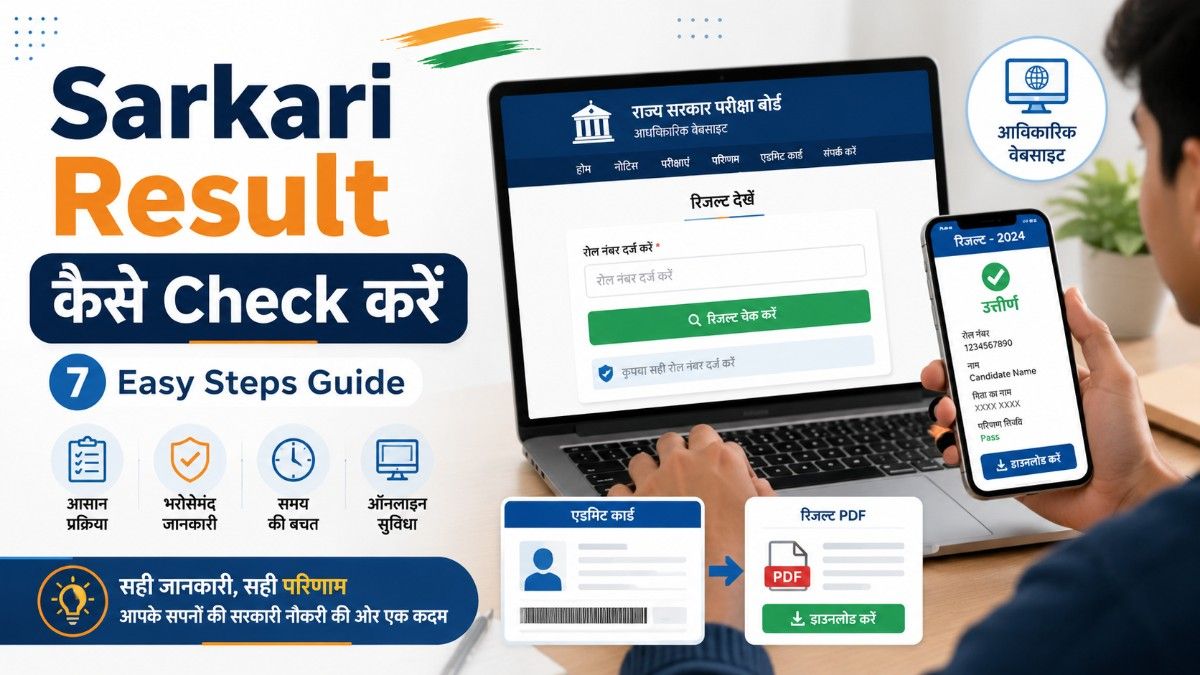
Sarkari Result check करने का सही तरीका जानें—official website, roll number, PDF list और marksheet download तक।
Sarkari Result कैसे Check करें, यह सवाल हर student, job aspirant और government exam candidate के मन में आता है। जब कोई सरकारी परीक्षा, board exam, recruitment exam या entrance test का result आता है, तो बहुत से users confuse हो जाते हैं कि result कहां और कैसे देखें।
कई बार official website slow हो जाती है, roll number याद नहीं होता, PDF list में नाम नहीं मिलता या fake websites users को गलत link पर भेज देती हैं।
इस complete guide में आप आसान Hindi में जानेंगे कि Sarkari Result कैसे Check करें, official website कैसे पहचानें, roll number से result कैसे देखें, PDF merit list में नाम कैसे खोजें और result download करने के बाद क्या करना चाहिए।
- Sarkari Result क्या होता है?
- Sarkari Result कैसे Check करें?
- Sarkari Result Check करने से पहले क्या-क्या चाहिए?
- Sarkari Result Check करने का तरीका: 7 Easy Steps
- Step 1: सबसे पहले Official Website खोजें
- Step 2: Result Section खोजें
- Step 3: सही Exam Name Select करें
- Step 4: Roll Number या Registration Number डालें
- Step 5: Submit / View Result पर Click करें
- Step 6: Result Download या Print करें
- Step 7: Official Notice जरूर पढ़ें
- Sarkari Result Roll Number से कैसे देखें?
- PDF Merit List में अपना नाम कैसे खोजें?
- Sarkari Result Official Website कैसे पहचानें?
- Sarkari Exam Result कैसे देखें?
- Result में कौन-कौन सी Details Check करनी चाहिए?
- Sarkari Result नहीं खुल रहा तो क्या करें?
- Related Government Job Guides
- DigiLocker से Result या Marksheet कैसे देखें?
- Fake Sarkari Result Websites से कैसे बचें?
- Result के बाद क्या करना चाहिए?
- Common Mistakes जो Result Check करते समय नहीं करनी चाहिए
- Sarkari Result Check करने के लिए Quick Checklist
- Beginners के लिए Practical Example
- Official Website Note
- Conclusion
- FAQs
- 1. Sarkari Result कैसे Check करें?
- 2. Sarkari Result Roll Number से कैसे देखें?
- 3. Sarkari Result Official Website कैसे पहचानें?
- 4. Result PDF में मेरा नाम नहीं मिल रहा, क्या करें?
- 5. Sarkari Exam Result कैसे देखें अगर website down है?
- 6. क्या third-party Sarkari Result websites सही होती हैं?
- 7. Result के बाद क्या करना चाहिए?
- 8. DigiLocker से marksheet कैसे मिलेगी?
Sarkari Result क्या होता है?
Sarkari Result का मतलब किसी government exam, board exam, recruitment test, entrance exam या सरकारी vacancy से जुड़े exam का official result होता है।
यह result किसी official authority, board, commission या department द्वारा जारी किया जाता है।
उदाहरण के लिए:
| Exam / Recruitment Type | Result जारी करने वाली Authority |
|---|---|
| SSC Exams | Staff Selection Commission |
| UPSC Exams | Union Public Service Commission |
| Railway Exams | Railway Recruitment Boards |
| State Board Exams | संबंधित State Board |
| Police / Teacher / Patwari Exams | संबंधित State Department / Board |
| University / Entrance Exams | संबंधित University / Agency |
SSC की official result page पर exams के uploaded date, examination name, result PDF और marks जैसी details दी जाती हैं। इसलिए SSC exam candidates को result check करते समय official SSC source verify करना चाहिए।
Sarkari Result कैसे Check करें?
Sarkari Result कैसे Check करें इसे समझने के लिए सबसे पहले आपको यह पता होना चाहिए कि आपका exam किस authority ने conduct किया है।
हर exam का result अलग-अलग website पर आता है। जैसे SSC का result SSC की website पर, UPSC का result UPSC की website पर और state board का result उस state board की official website पर आता है।
Basic process इस तरह होती है:
- Official website पर जाएं
- Result / Latest Updates / Candidate Corner section खोलें
- अपने exam का नाम select करें
- Roll number, registration number या date of birth डालें
- Submit करें
- Result देखें
- PDF या marksheet download करें
अब इसे detail में समझते हैं।
Sarkari Result Check करने से पहले क्या-क्या चाहिए?
Result check करने से पहले कुछ important details आपके पास होनी चाहिए।
| Required Detail | क्यों जरूरी है? |
|---|---|
| Roll Number | Result search करने के लिए |
| Registration Number | Candidate login के लिए |
| Date of Birth | Verification के लिए |
| Admit Card | Roll number और exam details देखने के लिए |
| Mobile Number / Email | OTP या login के लिए |
| Exam Name | सही result page पहचानने के लिए |
| Password | Candidate portal login के लिए |
अगर आपका admit card saved है, तो result check करना आसान हो जाता है।
Sarkari Result Check करने का तरीका: 7 Easy Steps
नीचे दिए गए steps follow करके आप ज्यादातर government exam results check कर सकते हैं।
Step 1: सबसे पहले Official Website खोजें
सबसे पहले आपको exam conduct करने वाली authority की official website open करनी चाहिए।
Example:
- SSC exam के लिए SSC official website
- UPSC exam के लिए UPSC official website
- Railway recruitment के लिए संबंधित RRB website
- Board exam के लिए state board official website
- Central government job portal information के लिए National Career Service
National Career Service यानी NCS Ministry of Labour & Employment के अंतर्गत career-related services देने वाला mission mode project है और यह government/private job-related resources के लिए useful official source हो सकता है।
- Admit Card क्या होता है?
- Data Science क्या है: 7 Helpful Career Guide
- NEET UG क्या है: 7 Helpful Complete Guide
- JEE Main क्या है और तैयारी कैसे करें? 7 Best Tips
- tips for how to learn english: 11 Best Smart Tips
- Best Career Options After 12th Science: 15 Best Paths
Step 2: Result Section खोजें
Official website open करने के बाद इन sections को देखें:
- Results
- Latest Updates
- Candidate Corner
- Recruitment
- Examination
- Notice Board
- Merit List
- Final Result
- Score Card
कई websites पर result PDF के रूप में आता है और कई websites पर login करके scorecard दिखता है।
Step 3: सही Exam Name Select करें
अब अपने exam का exact नाम check करें।
Example:
- SSC CGL Result
- SSC CHSL Result
- UPSC Final Result
- Railway ALP Result
- MP Board 10th Result
- Police Constable Result
- Teacher Eligibility Test Result
गलत exam link खोलने से आपको result नहीं मिलेगा।
Step 4: Roll Number या Registration Number डालें
अगर result login-based है, तो आपको roll number, registration number, date of birth या password डालना पड़ सकता है।
Example:
Roll Number: 123456789
Date of Birth: DD/MM/YYYY
Captcha: जैसा screen पर दिखे
Captcha सही भरना जरूरी है, नहीं तो result page submit नहीं होगा।
Step 5: Submit / View Result पर Click करें
Details भरने के बाद submit button पर click करें।
अगर details सही हैं, तो आपका result screen पर show हो जाएगा।
Result में usually ये details हो सकती हैं:
- Candidate name
- Roll number
- Registration number
- Exam name
- Marks
- Qualifying status
- Cut-off status
- Category
- Rank / merit position
- Next stage details
Step 6: Result Download या Print करें
Result show होने के बाद PDF या scorecard download कर लें।
आपको result की एक soft copy और एक print copy रखनी चाहिए।
Future में document verification, counselling, interview या joining के समय result की जरूरत पड़ सकती है।
Step 7: Official Notice जरूर पढ़ें
Result देखने के बाद official notice या write-up जरूर पढ़ें।
इसमें important information होती है, जैसे:
- Next stage क्या है
- Cut-off marks
- Document verification date
- Interview schedule
- Medical test details
- Joining process
- Objection / revaluation process
- Marks कब available होंगे
UPSC अपनी official website पर final recruitment results और related result PDFs publish करता है, इसलिए UPSC candidates को result notice carefully पढ़ना चाहिए।
Sarkari Result Roll Number से कैसे देखें?
Sarkari Result Roll Number से कैसे देखें यह सबसे common तरीका है।
Roll number से result देखने के लिए:
- Official result page खोलें
- Exam name select करें
- Roll number enter करें
- Date of birth या captcha भरें
- Submit करें
- Result देखें और download करें
अगर result PDF list में है, तो PDF खोलकर अपने roll number को search करें।
Computer में search करने के लिए:
Ctrl + F दबाएं → Roll Number डालें → Enter करेंMobile में:
PDF खोलें → Search icon दबाएं → Roll number डालेंPDF Merit List में अपना नाम कैसे खोजें?
कई government results PDF merit list के रूप में आते हैं। इसमें selected candidates के roll numbers या names list में दिए जाते हैं।
PDF merit list में result खोजने का तरीका:
- Result PDF download करें
- PDF open करें
- Search option खोलें
- Roll number या name type करें
- अगर आपका roll number list में है, तो आप shortlisted हो सकते हैं
- Official notice में next process जरूर पढ़ें
ध्यान रखें कि कुछ result PDFs में सिर्फ roll numbers होते हैं, names नहीं।
Sarkari Result Official Website कैसे पहचानें?
Sarkari Result Official Website पहचानना बहुत जरूरी है क्योंकि internet पर कई unofficial और fake websites भी होती हैं।
Official website पहचानने के लिए ये points देखें:
| Check Point | क्या देखें? |
|---|---|
| Domain | अक्सर .gov.in, .nic.in, official board domain |
| HTTPS | Website secure होनी चाहिए |
| Authority Name | Board/Commission का नाम clear हो |
| Notice PDF | Official letterhead या notification हो |
| Contact Details | Official contact/address available हो |
| Random Ads | बहुत ज्यादा misleading ads न हों |
| Payment Demand | Result देखने के लिए unnecessary payment न मांगे |
NCS portal अपने home page पर fraudulent websites/employers से सावधान रहने की warning भी दिखाता है, इसलिए government job/result related information में source verification बहुत जरूरी है।
Sarkari Exam Result कैसे देखें?
Sarkari Exam Result कैसे देखें यह exam type पर depend करता है।
1. Board Exam Result
Board exam result देखने के लिए state board की official website, roll number और school code की जरूरत हो सकती है।
कुछ board results DigiLocker पर भी available होते हैं। DigiLocker Ministry of Electronics & IT के Digital India programme की initiative है और यह documents/certificates के storage, sharing और verification के लिए secure cloud-based platform है।
2. SSC Result
SSC result usually PDF list और marks link के रूप में आता है। Candidate को roll number list में search करना पड़ सकता है।
SSC की result page पर examination name, uploaded date, write-up, result और marks जैसे columns मिलते हैं।
3. UPSC Result
UPSC result PDF form में publish हो सकता है। Final result में roll numbers और names दिए जा सकते हैं।
Candidate को official notice और next instructions ध्यान से पढ़ने चाहिए।
4. Railway Result
Railway recruitment result अलग-अलग Railway Recruitment Boards की websites पर आ सकता है।
RRB websites पर exam city intimation, e-call letter और recruitment updates जैसे notices publish होते हैं।
5. State Government Result
State government jobs जैसे police, patwari, teacher, forest guard, group C/D आदि के result state recruitment board या department website पर आते हैं।
Result में कौन-कौन सी Details Check करनी चाहिए?
Result देखने के बाद केवल pass/fail status देखकर page बंद न करें। पूरी details verify करें।
| Detail | क्यों check करें? |
|---|---|
| Name | Spelling सही है या नहीं |
| Roll Number | आपका ही result है या नहीं |
| Registration Number | Application से match करता है या नहीं |
| Marks | Subject-wise या total marks |
| Category | General/OBC/SC/ST/EWS आदि |
| Status | Qualified / Not Qualified |
| Cut-off | Selection chances समझने के लिए |
| Next Stage | DV, interview, PET, medical आदि |
अगर result में कोई गलती दिखती है, तो official helpdesk या department से contact करना चाहिए।
Sarkari Result नहीं खुल रहा तो क्या करें?
Result release होने के बाद website पर traffic बहुत बढ़ जाता है। इस वजह से website slow या down हो सकती है।
ऐसी situation में ये उपाय करें:
- Page refresh करें
- कुछ देर बाद try करें
- Mobile data और Wi-Fi दोनों से check करें
- दूसरा browser use करें
- Official alternate link देखें
- PDF result हो तो mirror official link खोजें
- Admit card details फिर से check करें
- Captcha carefully भरें
Board exam results में कई बार alternate methods जैसे DigiLocker, SMS या official app भी दिए जाते हैं। Recent board result coverage में भी DigiLocker को scorecard access के alternative तरीके के रूप में mention किया गया है।
Related Government Job Guides
| Related Guide | Why Useful |
|---|---|
| Government Jobs in India: Complete Guide in Hindi | Full Guide Article |
| Sarkari Naukri कैसे पाएं | Complete roadmap |
| Government Job Eligibility | Apply से पहले eligibility |
| Sarkari Job Apply Online | Railway form filling process |
| Government Job Preparation Tips | Railway preparation support |
| 12th Pass Government Jobs | NTPC undergraduate/Group D users |
| Graduation के बाद Government Job | NTPC graduate users |
| SSC Jobs in India | Railway alternative central jobs |
| Admit Card कैसे Download करें | Exam admit card guide |
| Sarkari Result कैसे Check करें | Result process guide |
DigiLocker से Result या Marksheet कैसे देखें?
कुछ boards और institutions marksheets DigiLocker पर provide करते हैं।
DigiLocker से marksheet देखने का general तरीका:
- DigiLocker website या app open करें
- Aadhaar-linked mobile से login करें
- Education / Issued Documents section खोलें
- Board या authority select करें
- Roll number / year / required details भरें
- Marksheet download करें
CBSE के digital academic certificates DigiLocker के माध्यम से students के लिए available होते हैं और CBSE academic repository online verification facility भी देता है।
Fake Sarkari Result Websites से कैसे बचें?
Internet पर कई websites “Sarkari Result” नाम से information देती हैं। इनमें से कुछ useful informational websites हो सकती हैं, लेकिन final trust हमेशा official website पर ही करना चाहिए।
Fake या misleading websites से बचने के लिए:
- Result हमेशा official website से verify करें
- किसी unknown website पर personal details न डालें
- Result देखने के लिए payment न करें
- Fake WhatsApp links पर click न करें
- “Guaranteed selection” जैसे claims से बचें
- URL carefully check करें
- Official notification PDF जरूर पढ़ें
Result के बाद क्या करना चाहिए?
Result check करने के बाद next step exam type पर depend करता है।
Possible next steps:
- Scorecard download करें
- Cut-off compare करें
- Merit list check करें
- Document verification notice पढ़ें
- Interview/PET/PST/medical dates देखें
- Counselling registration करें
- Rechecking/revaluation apply करें
- Official updates follow करें
अगर आप qualified हैं, तो next stage की तैयारी तुरंत शुरू करें।
अगर qualify नहीं हुए हैं, तो marks analysis करके next attempt की strategy बनाएं।
Common Mistakes जो Result Check करते समय नहीं करनी चाहिए
1. गलत Website पर Result Check करना
सबसे बड़ी mistake unofficial या fake website पर depend करना है।
2. Roll Number गलत डालना
एक digit गलत होने पर result show नहीं होगा।
3. Admit Card Delete कर देना
Admit card में roll number, registration number और exam details होती हैं। इसे संभालकर रखें।
4. Official Notice न पढ़ना
Result के बाद next stage official notice में दिया जाता है। केवल result status देखकर रुकना सही नहीं है।
5. PDF List में Name Search करना
कई merit lists में name नहीं, केवल roll number होता है। इसलिए roll number से search करें।
6. Fake Cut-off पर भरोसा करना
Cut-off हमेशा official notice से verify करें।
Sarkari Result Check करने के लिए Quick Checklist
| Checklist Point | Status |
|---|---|
| Official website खोली | Yes |
| Exam name सही select किया | Yes |
| Roll number ready रखा | Yes |
| DOB/registration number ready रखा | Yes |
| Captcha correctly भरा | Yes |
| Result download किया | Yes |
| Official notice पढ़ा | Yes |
| Next stage note किया | Yes |
Beginners के लिए Practical Example
मान लीजिए आपने SSC CHSL exam दिया है।
आपको result check करना है।
आप क्या करेंगे?
- SSC की official website open करेंगे
- Result section में जाएंगे
- CHSL result link खोलेंगे
- Result PDF download करेंगे
- Ctrl + F दबाकर अपना roll number search करेंगे
- अगर roll number list में है, तो official write-up पढ़ेंगे
- Next stage जैसे Tier-II, DV या marks link की जानकारी note करेंगे
इसी तरह state board result में आपको roll number और date of birth डालकर marksheet देखनी होती है।
Official Website Note
Government exam results, result dates, cut-off, marks link, document verification schedule और final selection process समय के साथ बदल सकते हैं।
इसलिए result check करते समय हमेशा संबंधित official website, official notification और latest notice जरूर verify करें।
General job portal information के लिए National Career Service, SSC results के लिए SSC official result page, UPSC results के लिए UPSC official website और academic documents के लिए DigiLocker जैसे official sources useful हो सकते हैं।
| Source | Use For | Why Trusted |
|---|---|---|
| National Career Service | Government job/career resources | Ministry of Labour & Employment का mission mode project है। (National Career Service) |
| SSC Official Results Page | SSC exam results | SSC result page official result PDFs और marks details show करता है। (Staff Selection Commission) |
| UPSC Official Results Page | UPSC recruitment/final results | UPSC official final result notices publish करता है। (UPSC) |
| DigiLocker | Digital marksheet/documents | Digital India initiative के अंतर्गत secure document wallet है। (DigiLocker) |
| CBSE Academic Repository | Academic record verification | CBSE certificates verification और DigiLocker availability के लिए useful है। (CBSE Digital Locker) |
Conclusion
Sarkari Result कैसे Check करें यह समझना हर student और job aspirant के लिए बहुत जरूरी है। सही result देखने के लिए official website, roll number, admit card details और official notification सबसे important होते हैं।
Result check करते समय जल्दबाजी न करें। Website, exam name, roll number और PDF list carefully verify करें।
अगर result PDF में है, तो Ctrl + F से roll number search करें। अगर login-based result है, तो registration number, date of birth और captcha सही डालें।
सबसे जरूरी बात—किसी भी third-party information को final मानने से पहले official website पर result जरूर verify करें।
FAQs
1. Sarkari Result कैसे Check करें?
Sarkari Result check करने के लिए exam की official website खोलें, result section में जाएं, exam name select करें, roll number/registration number डालें और result download करें।
2. Sarkari Result Roll Number से कैसे देखें?
Result PDF में Ctrl + F दबाकर अपना roll number search करें। अगर login page है, तो roll number, DOB और captcha डालकर submit करें।
3. Sarkari Result Official Website कैसे पहचानें?
Official website आमतौर पर government board, commission या department की होती है। .gov.in, .nic.in या official authority domain check करें और official notification पढ़ें।
4. Result PDF में मेरा नाम नहीं मिल रहा, क्या करें?
पहले roll number से search करें क्योंकि कई PDFs में name नहीं होता। अगर फिर भी result नहीं मिले, तो exam name, list number और category सही check करें।
5. Sarkari Exam Result कैसे देखें अगर website down है?
कुछ देर बाद try करें, दूसरा browser use करें, official alternate link देखें या board/authority द्वारा दिए गए DigiLocker/SMS जैसे विकल्प check करें।
6. क्या third-party Sarkari Result websites सही होती हैं?
Third-party websites information दे सकती हैं, लेकिन final result हमेशा official website से verify करना चाहिए।
7. Result के बाद क्या करना चाहिए?
Result download करें, official notice पढ़ें, cut-off check करें और next stage जैसे document verification, interview, PET, medical या counselling की तैयारी करें।
8. DigiLocker से marksheet कैसे मिलेगी?
DigiLocker में login करें, Education या Issued Documents section खोलें, board/authority select करें और required details डालकर marksheet download करें।
- Admit Card क्या होता है?
- Data Science क्या है: 7 Helpful Career Guide
- JEE Main क्या है और तैयारी कैसे करें? 7 Best Tips
- tips for how to learn english: 11 Best Smart Tips
- CUET UG 2026 Complete Guide in Hindi: 10 Best Tips
- CUET UG and CUET PG Difference: पूरी जानकारी हिंदी में
[…] Sarkari Result कैसे Check करें: 7 Easy Steps Guide […]
[…] Sarkari Result कैसे Check करें: 7 Easy Steps Guide […]