
Realistic Indian Accent AI Voices for Free: 3 Best Tools
Quick Answer: Realistic Indian accent AI voices for free are easiest to create with Microsoft Clipchamp for simple Hindi/Indian-English narration, Sarvam AI for Indian-language and Hinglish voice generation, and TTSMaker for high free weekly text-to-speech volume. I would test Hindi voices like Swara or Madhur, Indian-English voices like Neerja or Prabhat, and then fix weak pronunciation with phonetic Hinglish spelling.
I tested these tools from the point of view of an Indian creator, not a studio engineer with a big budget. The goal is simple: make Hindi, Hinglish, or Indian-English audio that does not sound like a fake foreign accent reading Indian words.
A natural Indian voice has rhythm. It has local stress. It has Hindi words inside English sentences. It has names like Aarav, Rishabh, Suryakumar, Bhopal, Madhya Pradesh, and Chandrayaan that basic tools often pronounce badly.
This is why a free Hindi AI voice generator is not enough by itself. You need the right voice, the right script style, and the right pronunciation trick.
Top 3 Free AI Voice Generators for Indian Creators
For creators, the best result usually comes from a hybrid workflow: generate the base voice with AI, then edit weak lines manually. If your opening hook is important, record that part yourself with a budget mic, then let AI handle the rest.
1. Microsoft Clipchamp AI Voiceover
Microsoft Clipchamp is my first pick for Indian creators who want a simple video + voice workflow.
It is useful because you do not need a separate editor, caption tool, and voice tool. You can write the script, generate AI voiceover, adjust pace, edit the video, and export from one place.
2. Sarvam AI Voice Generator
Sarvam AI is the most India-focused option in this list. If your content is Hindi, Hinglish, Tamil, Telugu, Marathi, Bengali, Kannada, Malayalam, or another Indian-language workflow, Sarvam feels more localized than many general TTS websites.
That Hinglish part matters a lot. Indian creators rarely speak only pure Hindi or only pure English.
3. TTSMaker
TTSMaker is the tool I would use when I need more free generation volume. Its official page says it supports 100+ languages and 600+ AI voices, lets users play or download generated audio, and lists a free limit of 20,000 characters per week.
That free limit is useful for Indian creators making Shorts voiceovers, podcast draft narration, Hindi explainer drafts, and educational content.
| Tool | Best For | Free Limit |
|---|---|---|
| Microsoft Clipchamp | Indian-English video narration, Hindi voiceover inside editor, YouTube explainers | Free AI voiceover; character limit varies by language; voiceovers up to 10 minutes mentioned by Clipchamp |
| Sarvam AI | Hindi, Hinglish, and Indian-language creator audio | Free Indian-language generator / free credits shown; check current account/tool limit |
| TTSMaker | Batch voiceover testing and downloadable audio | 20,000 characters per week on free page |
See How to Create Realistic Indian Accent AI Voices
Reading the steps is useful, but watching the workflow makes it easier. These two tutorials can help you understand how Hindi, Hinglish, and Indian-English AI voice generation works in real creator situations.
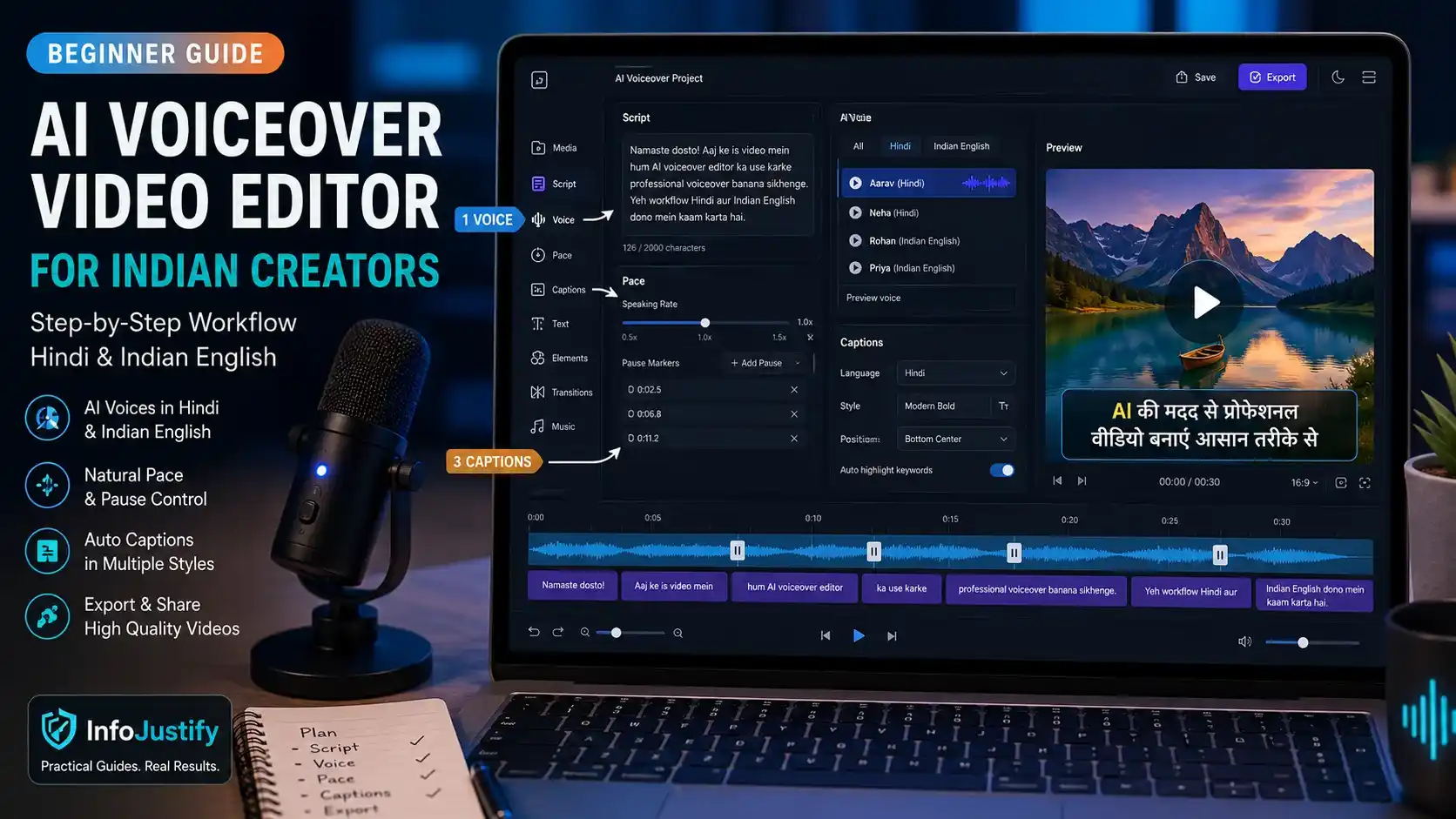 ▶ Clipchamp Tutorial
Clipchamp Hindi & Indian-English Voice Setup
Watch this if you want a simple video-editor workflow where script, AI voiceover, timing, and video editing stay in one place.
This is useful for creators who want to test Hindi or Indian-English narration without jumping between multiple tools.
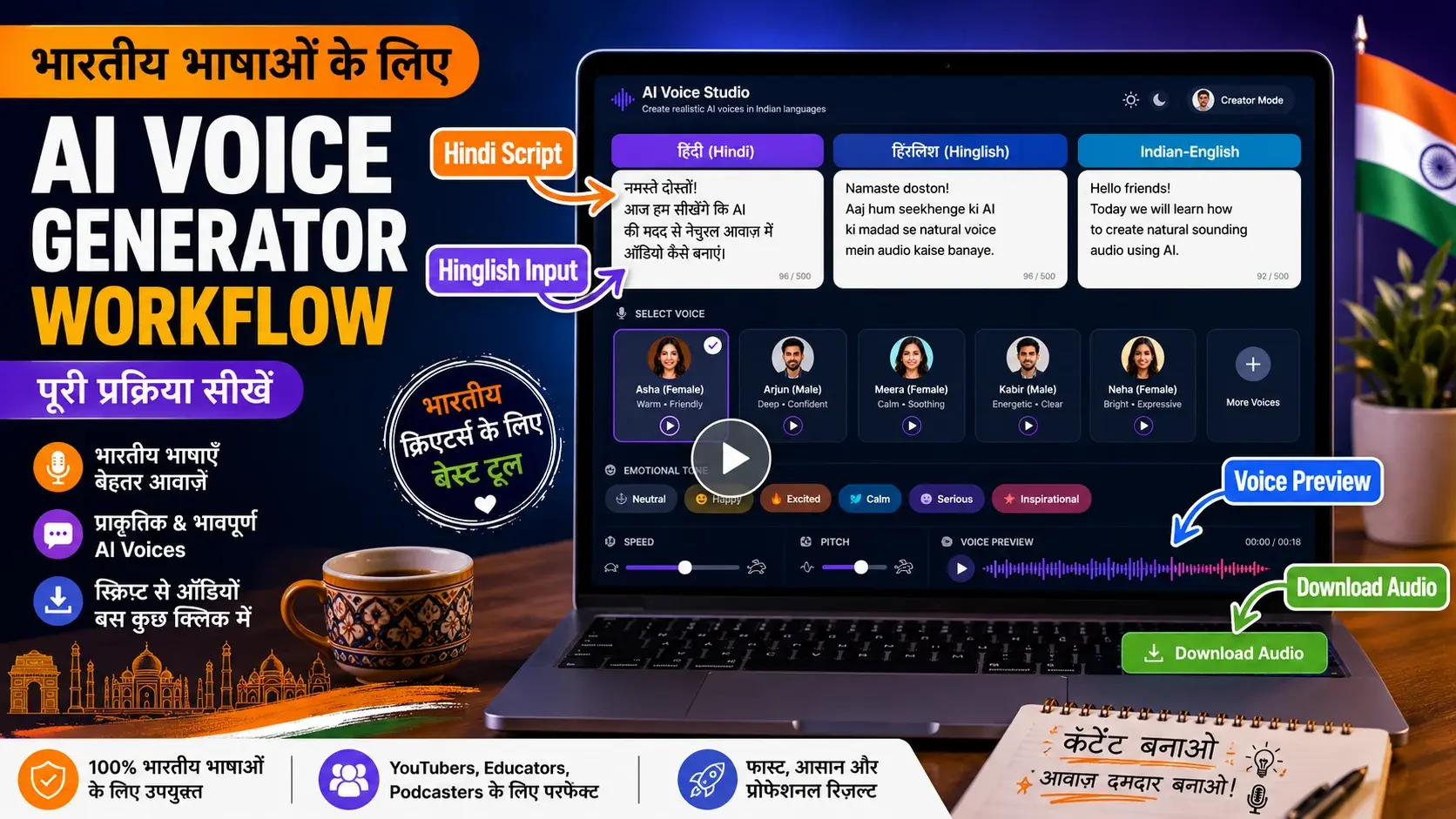 ▶ Sarvam AI Tutorial
Sarvam AI for Indian-Language Voice Generation
Watch this if your content needs Hindi, Hinglish, or Indian-language voice output that feels more localized for Indian creators.
This workflow is helpful when you want to test scripts, preview voices, and understand how Indian-language AI voice generation can fit inside your content process.
Creator Tip: The Phonetic Spelling Hack for Perfect Hindi
This is the trick I use when a voice sounds almost right but mispronounces Hindi words. Do not always write the correct spelling. Write the pronunciation.
Test the Original Sentence
Original: “Namaste dosto, aaj hum realistic Indian accent AI voices for free generate karna seekhenge.”Convert Difficult Hindi Words Into Hinglish Sound
Try: “Na-mas-tay dosto” or “Namastay dosto” if the tool says Namaste too flat.Break the Sentence Into Short Voice Blocks
Use: “Namastay dosto. Aaj hum seekhenge… realistic Indian accent AI voices for free kaise generate karte hain.”Use Punctuation Like Audio Direction
Commas create soft pauses. Ellipses create longer pauses. Line breaks reset rhythm. Hyphens can help hesitation or emphasis.Fix Names Manually
For “Rishabh,” test Ri-shabh, Rish-ab, or Rishabhh. For “Bhopal,” test Bho-paal or Bhoh-paal.“Ye tool free hai…
lekin output ko publish karne se pehle,
ek baar pronunciation zaroor check karo.”
This is what I mean by phonetic text to speech Hindi. You are not changing the meaning. You are guiding the voice.
Frequently Asked Questions
Here are quick answers for Indian creators who want natural Hindi, Hinglish, or Indian-English AI voiceovers without paying premium fees.
1. What is the best free Hindi AI voice generator?
Sarvam AI is a strong free option for Hindi and Hinglish because it is built around Indian languages and handles Hinglish natively.
2. How do I make Indian English AI voice sound natural?
Use Indian-English voices like Neerja or Prabhat where available, keep sentences short, add commas, and rewrite difficult names phonetically.
3. Can I use free Indian AI voices on YouTube?
Yes, but check each tool’s license, avoid low-effort reused content, and add original scripting, editing, examples, and value before publishing.
- Are AI voices safe for YouTube monetization
- Realistic Indian Accent AI Voices for Free: 3 Best Tools
- ElevenLabs Free Alternatives for Emotional Voices: 3 Picks
- Best Free AI Voice Generators for Faceless YouTube Shorts
- Top 5 Free AI Voice Generator Realistic Tools
- Free AI Video Generators Without Watermark: 2026 Truth
- AI vs Machine Learning: Powerful 2026 Career Truth
- Generative AI Uses and Risks: 11 Real-Life Lessons for Beginners
- What is Generative AI? 12 Powerful Basics for Beginners
- What is AI? 11 Powerful Basics Every Beginner Should Know
One thought on “Realistic Indian Accent AI Voices for Free: 3 Best Tools”