
Free AI Video Generators Without Watermark: The Honest 2026 Guide
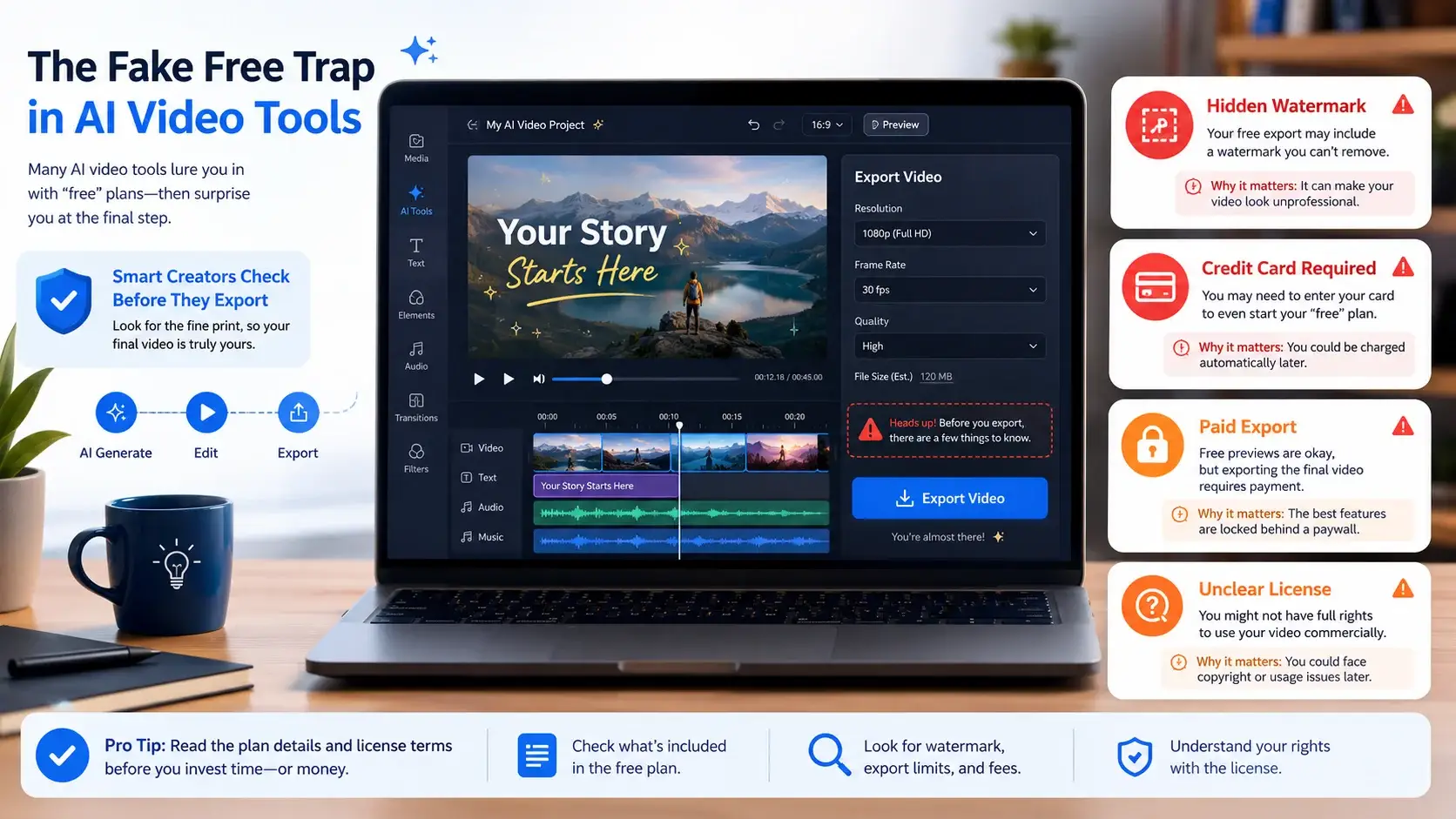
Free AI Video Generators Without Watermark sound easy to find, but the real answer is more complicated. Many tools advertise “free AI video,” then add a watermark, block export, require a card, or limit commercial use after you finish creating.
BLUF: In 2026, truly free, no-card, watermark-free AI video options are rare. The safest free workflow is to use verified watermark-free editors like Microsoft Clipchamp or Adobe Express for clean exports, then use generative AI tools only when their credits, watermark rules, and commercial terms are clear.
For this guide, Free AI Video Generators Without Watermark means tools or workflows that help creators export clean videos without hidden watermark traps, surprise payment screens, unclear asset licenses, or misleading “free trial” language.
Trust note: This guide does not teach watermark removal, logo cropping, or bypass tricks. If a free plan adds a watermark, treat that as a license signal and choose a cleaner option instead.
The goal is not to give you a long list of shiny names. The goal is to help you avoid wasted time, blocked exports, hidden upgrade screens, unsafe YouTube uploads, and unclear commercial rights.
Table of Contents: Free AI Video Generators Without Watermark
Free AI Video Generators Without Watermark Matrix
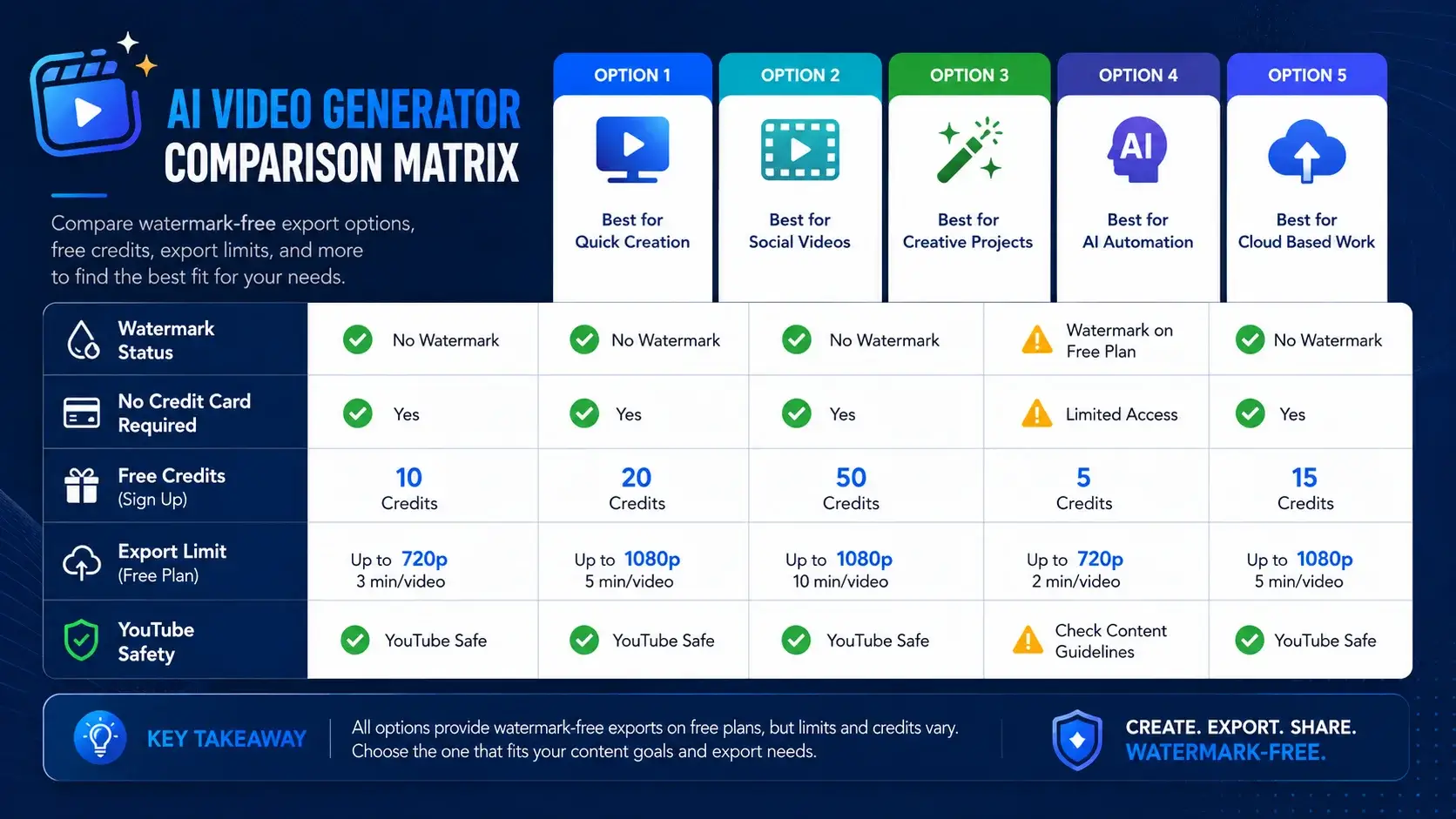
This Free AI Video Generators Without Watermark matrix separates clean free export tools from tools that are only “free to try.” The biggest difference is simple: a preview is not the same as a publishable video.
Honest verdict: The most reliable free watermark-free options are often AI-assisted video editors, not always pure text-to-video generators. Pure generative video tools usually use credits, watermarks, paid commercial licenses, or limited trials.
| Tool Name | Official Source Checked | No Credit Card? | Watermark-Free Free Export? | Free Limit / Credits | Approx Free Video Duration | YouTube / Commercial Use Status | Best Use Case | The Catch | Trust Verdict |
|---|---|---|---|---|---|---|---|---|---|
| Microsoft Clipchamp | Official pricing | Yes | Yes | Unlimited free exports | Up to 1080p HD exports | Good for creator edits if your assets are licensed and original | Editing, captions, voiceovers, clean export | Not a pure text-to-video model; 4K is premium | Recommended |
| Adobe Express | Official video maker | Yes | Yes, for editor export | Free plan with limited generative AI credits | Depends on project and credit use | Strong for original edited videos; check AI model and asset terms | Short videos, branded edits, social posts | Premium AI/video features may need paid credits | Recommended with limits |
| Canva AI Video / Templates | Official licensing | Usually yes | Depends on assets | Free plan available; feature limits can vary | Depends on design and asset type | Use only clean Free content or properly licensed content | Templates, social clips, simple video designs | Pro content can show watermark for free users | Use with caution |
| CapCut AI Video Maker | Official AI tool page | Verify | Verify before export | Free AI video creation is advertised | Depends on tool, region, and account | Useful for social videos; verify export and music license | Shorts, TikTok-style edits, quick creator workflow | Some assets/features may be plan-limited | Use with caution |
| Runway Free | Official free plan help | Yes for trial | No | 125 one-time credits | Limited testing use | Not ideal for watermark-free free publishing | Testing high-end AI video quality | Free plan videos include Runway watermark | Not for free no-watermark export |
| Pika Free | Official FAQ | Verify | Paid plans shown | Credits vary by plan | Depends on plan/model | Watermark-free downloads are tied to paid Pro/Fancy wording | Testing stylized AI clips | Not a safe free no-watermark pick | Not recommended for this intent |
Free AI Video Generators Without Watermark: Honest Tool Reviews
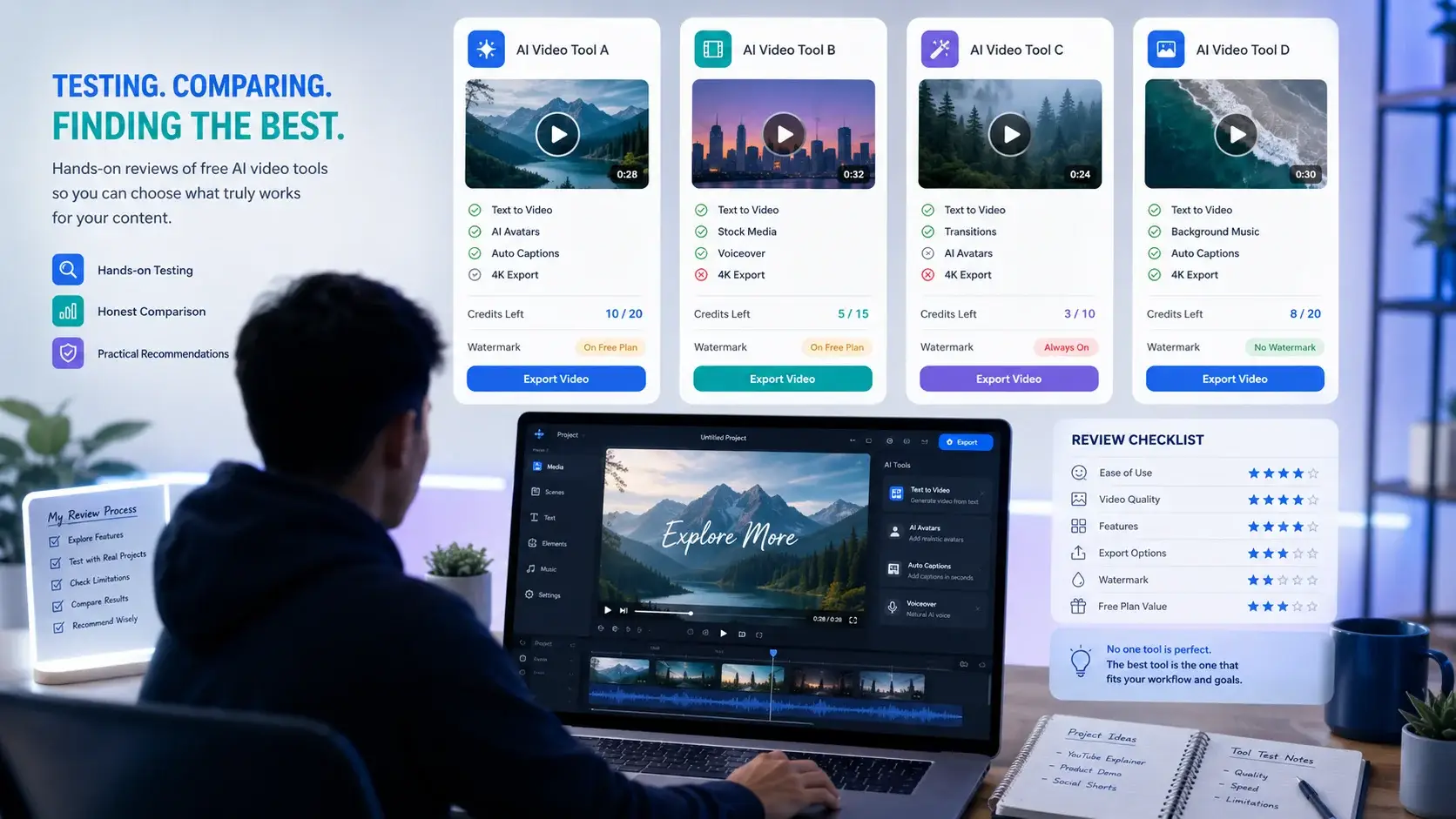
Most Free AI Video Generators Without Watermark lists mix together editors, text-to-video models, template tools, and paid trials. That creates confusion. This review separates clean export tools from tools that are only useful for testing.
Microsoft Clipchamp: Best Free Clean Export Workflow
Microsoft Clipchamp is the safest pick when your main need is a clean, free, watermark-free video export. It is not the strongest pure text-to-video generator, but it is excellent for assembling creator videos, trimming clips, adding captions, using voiceover features, and exporting in 1080p without a watermark.
Best use case
Use Clipchamp when you already have AI-generated clips, screen recordings, stock footage, images, or voiceovers and need a clean final video for YouTube, Shorts, tutorials, or social posts.
Credit math
The key math here is not generative credits. It is export freedom. Clipchamp’s official pages support free 1080p export without a watermark, which makes it valuable for creators who need a final publishing tool.
Pros
- Free watermark-free exports up to 1080p HD.
- Good for editing, captions, voiceovers, and creator workflows.
- Useful for stitching clips generated from different AI tools.
- Clearer official pricing information than many AI-first tools.
Cons
- Not a full cinematic text-to-video generator.
- 4K export and premium assets require paid access.
- You still need licensed footage, music, images, or AI clips.
Adobe Express: Best Free Creator Editor With AI Support
Adobe Express is another strong option when you want a free editor that can export videos without a watermark. Adobe also has Firefly-powered AI tools, but the exact video generation access depends on plan, credits, feature type, and regional availability.
Best use case
Use Adobe Express for short creator videos, educational clips, social posts, simple video layouts, thumbnails, and branded content. It is more editor-friendly than hardcore AI-video-model focused.
Credit math
Adobe Express Free includes basic content creation tools and limited generative AI credits. For regular video editing, the important point is that Adobe’s video maker messaging supports watermark-free sharing, while some premium AI/video features may need paid credits.
Pros
- Free use is available without a credit card on official Adobe Express editor pages.
- Watermark-free video sharing is clearly promoted for video maker workflows.
- Strong for social video design and beginner editing.
- Useful for combining AI-assisted assets with original creator edits.
Cons
- Pure AI video generation may require credits or paid Firefly access.
- Premium assets and templates can create usage limitations.
- Creators should check which model and assets were used before commercial publishing.
Canva and CapCut: Useful, But Verify Before Export
Canva and CapCut can be useful for creators, but they should be handled carefully in a Free AI Video Generators Without Watermark article. Both platforms include free creative tools, AI features, templates, and social-video workflows, but the final result depends on feature, asset, template, music, and account status.
Canva reality check
Canva’s licensing page explains that Free and Pro content are different. If you are a free user and you use Pro content, Canva may show a watermark until you buy a one-time license or upgrade.
CapCut reality check
CapCut promotes free AI video maker features and is strong for short-form social content. Before recommending any CapCut output as watermark-free and commercial-safe, check the final export screen, music license, template source, and current account limits.
Pros
- Strong for short-form video creation and social content.
- Beginner-friendly interfaces.
- Good template, caption, and mobile-friendly editing workflows.
Cons
- Free vs Pro assets can change the watermark result.
- Music and stock media rights must be checked before YouTube use.
- AI feature limits may change by country, plan, or account.
Runway and Pika: Powerful, But Not Free No-Watermark Picks
Runway and Pika are popular AI video names, but popularity does not equal free watermark-free export. A trustworthy article must say this clearly.
Runway reality check
Runway’s official free-plan help explains that the Free plan gives a one-time deposit of 125 credits, and free-plan videos include a Runway watermark. That makes it useful for testing quality, not for free watermark-free publishing.
Pika reality check
Pika’s official FAQ says watermark-free downloads are available on Pro or Fancy plans. That is a strong signal that free users should not treat Pika as a guaranteed free watermark-free export option.
When to use them
- Use Runway to test premium AI video workflows before paying.
- Use Pika to test stylized AI video concepts and effects.
- Do not build a free no-watermark YouTube workflow around them unless official free terms change.
Open-Source and Local AI Video: Best for Control, Hardest for Beginners
Open-source workflows such as ComfyUI, AnimateDiff-style workflows, and Stable Video Diffusion-style image-to-video models can avoid platform watermarks because you run the workflow yourself. But this path is not automatically easier, safer, or commercially clean.
You need hardware, setup skills, model licenses, workflow knowledge, and time. Local generation removes platform export watermarks, but it does not remove copyright, likeness, training-data, or license responsibilities.
- Best for: Technical creators who want control and can manage local workflows.
- Not best for: Beginners who need fast social videos today.
- Trust rule: Always verify the model license before commercial or YouTube use.
Free AI Video Generators Without Watermark: Ethical Creator Workflow
A safe free workflow is not about removing watermarks. It is about using each tool for what it legally and practically does best.
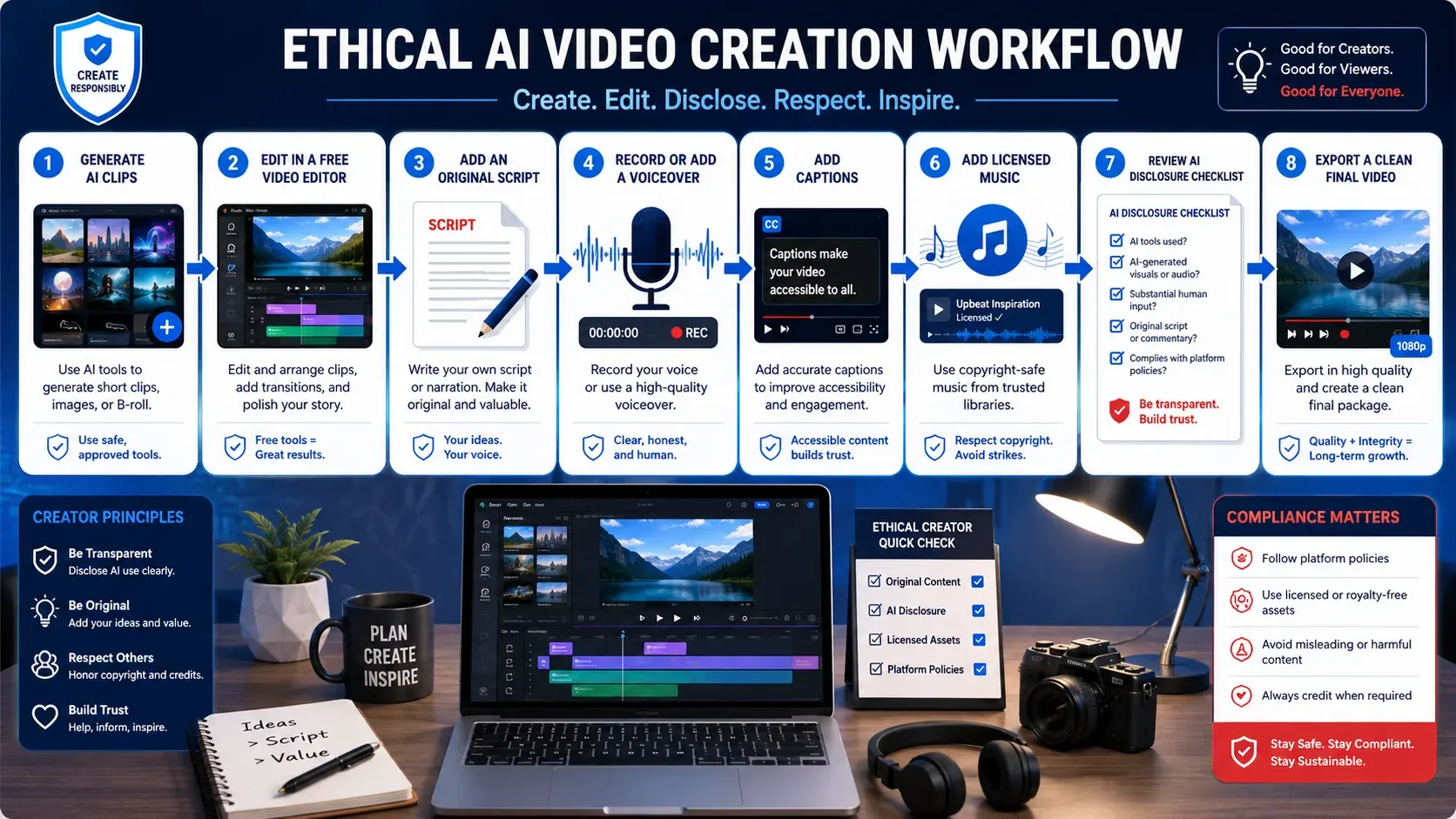
The Ethical Credit Rotation Strategy
Use limited AI generation tools for short idea clips, then assemble everything in a clean free editor. For example, create a short visual clip in one tool, generate background images in another, record your own voiceover, then edit the full video in Clipchamp or Adobe Express.
- Use Tool A for a short B-roll concept.
- Use Tool B for still images or motion assets.
- Use Clipchamp or Adobe Express for the final edit.
- Add your own script, voiceover, captions, music, and structure.
- Export only when every asset is clean, licensed, and watermark-free.
What Not to Do
Do not crop out tool logos, blur watermarks, hide attribution, or re-upload previews that were not meant for commercial use. That can violate tool terms and damage your brand trust.
- Do not remove watermarks from free-plan exports.
- Do not use celebrity likenesses without rights.
- Do not use copyrighted songs, characters, or brand assets casually.
- Do not publish mass-produced AI videos with no original value.
Will YouTube Monetize AI Generated Videos in 2026?
YouTube can monetize AI-assisted videos, but it does not reward low-effort automation. The tool is not the main issue. The final video must add original value, follow copyright rules, and comply with YouTube policies.
YouTube requires creators to disclose meaningfully altered or synthetically generated realistic content. It also evaluates monetization based on originality, audience value, and policy compliance.
YouTube Safety Checklist
- Disclose realistic synthetic content when YouTube requires it.
- Add original narration, commentary, research, or teaching value.
- Use licensed music, images, video clips, and AI outputs.
- Avoid misleading fake events, fake public figure actions, or cloned voices.
- Do not publish repetitive template videos at scale with minimal changes.
Final Takeaway
The honest answer about Free AI Video Generators Without Watermark is this: free watermark-free video editors exist, but truly free, unlimited, no-card, watermark-free generative AI video tools are rare.
Use verified free editors for clean exports, test generative tools carefully, read license terms, and build real creator value around every video. That is a safer long-term strategy than chasing fake-free promises.
Frequently Asked Questions
1. Is there a 100% free AI video generator with unlimited exports?
Unlimited free watermark-free AI video generation is rare. Clipchamp offers unlimited watermark-free 1080p exports, but it is mainly an AI-assisted editor, not a full text-to-video generator.
2. Which free AI video generator has no watermark and no credit card requirement?
Microsoft Clipchamp and Adobe Express are safer free options for watermark-free editing exports. For pure AI generation, always verify the official pricing and export screen first.
3. Can I use free AI-generated videos for a YouTube channel?
Yes, if you follow tool licenses, copyright rules, and YouTube disclosure policies. Add original commentary, editing, narration, or educational value to reduce reused-content risk.
4. What is the best open-source AI video generator to run locally?
ComfyUI workflows with AnimateDiff or Stable Video Diffusion-style models are popular for technical users. Check each model license before commercial or YouTube use.
Create Better Blog Cards With InfoJustify HTML Visual Editor
Want to design attractive WordPress Custom HTML blocks, article cards, comparison tables, call-to-action sections, and responsive content layouts faster? The InfoJustify HTML Visual Editor helps you preview and improve your design before publishing.
This tool is helpful for bloggers, creators, and website owners who want clean, mobile-friendly, and professional-looking article sections without wasting time on repeated trial and error.
How This Tool Helps You
- 1 Preview Your Design Check how your HTML card looks before adding it to WordPress.
- 2 Improve Layout Quality Fix spacing, button placement, section balance, and mobile readability.
- 3 Make Content More Clickable Create helpful CTA sections that guide readers to useful pages and related posts.
- 4 Publish With Confidence Use cleaner, responsive, and polished blocks inside your articles.
- Are AI voices safe for YouTube monetization
- Realistic Indian Accent AI Voices for Free: 3 Best Tools
- ElevenLabs Free Alternatives for Emotional Voices: 3 Picks
- Best Free AI Voice Generators for Faceless YouTube Shorts
- Top 5 Free AI Voice Generator Realistic Tools
- Free AI Video Generators Without Watermark: 2026 Truth
- AI vs Machine Learning: Powerful 2026 Career Truth
- Generative AI Uses and Risks: 11 Real-Life Lessons for Beginners
- What is Generative AI? 12 Powerful Basics for Beginners
- What is AI? 11 Powerful Basics Every Beginner Should Know
One thought on “Free AI Video Generators Without Watermark: 2026 Truth”